


Lotus365 Withdrawal Process: Important Things Users Should Know
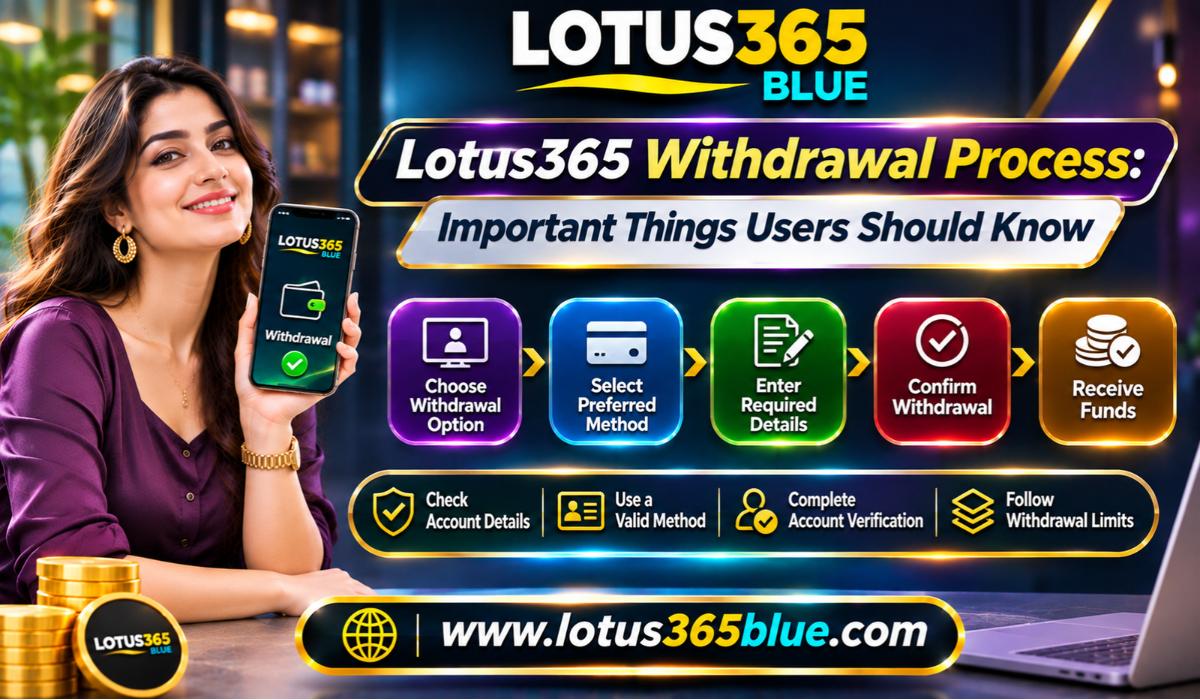
Understanding the withdrawal process is an important part of managing any online account that supports wallet transactions. For users exploring Lotus365, knowing how to request a withdrawal, which information may be required, how payment methods work, and what can cause delays can make the process easier to understand. The exact withdrawal options and conditions can change, so users should always check the current payment section associated with their account.
A Lotus365 ID is generally used to identify the user's account when accessing account-related features. Before attempting a withdrawal, users should make sure they are accessing the correct account and that their available balance, payment information, and verification status are accurate. Current Lotus365-related payment guides commonly describe withdrawals through options such as UPI or bank transfer, although the methods shown can vary according to the current payment configuration.
A withdrawal should not be viewed as simply pressing a “Withdraw” button. It involves checking the available balance, selecting an eligible payment method, entering the requested amount, confirming account details, completing any required verification, and monitoring the transaction until its status changes. Understanding each stage can help users avoid common mistakes.
Get lotus365 id-https://lotus365blue.com/
What Is a Lotus365 Withdrawal?
A withdrawal is a request to transfer an eligible account balance from an online wallet to a supported payment destination.
Depending on the current payment system, this destination may be a bank account or UPI account registered in the user's name. Some Lotus365-related guides state that payout accounts should match the account holder's information, which can help reduce verification problems.
The withdrawal process usually begins after the user accesses their account and opens the wallet, cashier, or withdrawal section. From there, the user can review the available payout methods and select an appropriate option.
Importantly, the amount shown as available for withdrawal may not always be identical to the total amount displayed elsewhere in the account. Promotional balances, pending transactions, or other account conditions can affect what is actually available.
Check Your Lotus365 ID Before Starting
Before submitting a withdrawal request, users should confirm that they are logged into the correct account.
The Lotus365 ID can be useful when identifying an account during support conversations or transaction-related enquiries. Users should keep their account information private and should not send passwords, OTPs, UPI PINs, or other sensitive authentication credentials to another person.
It is also useful to review the account profile before making a withdrawal. If personal information or payment details need updating, completing those steps before requesting a payout can help prevent unnecessary delays.
Step 1: Access the Account
Start by accessing the account through the normal login process.
Users should avoid entering account credentials on suspicious copies of a website or through links received from unknown individuals. Payment information should also be entered only through the authorized account interface.
Once the account dashboard opens, verify that the account balance and account details correspond to the account from which the withdrawal is intended.
Step 2: Open the Withdrawal Section
The withdrawal option may appear under labels such as Wallet, Cashier, Withdraw, Payments, or Account.
The exact location can change when an interface is updated, so users should look for the current withdrawal function rather than relying on an old screenshot.
Once opened, the withdrawal page should display the payment methods that are currently available to that account.
Some payment guides describe UPI and bank transfer as common withdrawal methods, but users should treat the methods actually displayed in their account as the relevant options.
Step 3: Review the Available Balance
Before entering a withdrawal amount, check the available balance carefully.
The account may display several different figures, such as total balance, usable balance, pending amount, or promotional balance. These figures can have different meanings.
Only the amount that the account identifies as eligible for withdrawal should be considered when submitting a request.
Users should also check whether a minimum withdrawal amount applies. Because published Lotus365-related sources currently show different minimum figures, it is better to use the limit displayed in the live withdrawal section rather than relying on a fixed number from an external article.
Step 4: Select a Withdrawal Method
After checking the balance, select one of the payment methods currently offered.
UPI Withdrawals
UPI can provide a convenient mobile-based payout method where it is supported.
Before confirming the request, users should carefully verify the UPI ID and ensure that it belongs to the account holder where required.
A UPI PIN should never be shared with another person. It should only be entered inside the legitimate banking or payment application.
Bank Transfer
A bank transfer may also be available for eligible accounts.
Before submitting the request, carefully check the bank account information, account-holder details, and any other fields shown on the withdrawal page.
Incorrect bank information can cause a transaction to fail or require additional investigation.
Step 5: Enter the Withdrawal Amount
Enter the amount you want to withdraw according to the current limits displayed by the account.
Do not assume that the same limits apply to every payment method. Some methods may have different minimums, maximums, or processing conditions.
It is also worth checking whether the account has any pending transaction or verification issue before submitting the request.
Step 6: Verify the Payment Details
Before final confirmation, review the complete transaction.
Check the withdrawal amount, selected method, bank or UPI information, account-holder details, and any other information displayed on the confirmation page.
This step is particularly important because an incorrect payment destination can create avoidable complications.
If the platform requires an OTP or another authentication step, complete it through the authorized payment or account interface.
Step 7: Submit the Withdrawal Request
Once all information has been checked, submit the withdrawal request.
A successful request should generally produce some form of confirmation or transaction record. Users should save the transaction reference if one is provided.
The withdrawal should then appear in the account's transaction history with a status such as pending, processing, completed, failed, or rejected.
Keeping this reference can be helpful if the transaction later requires support.
Understanding Withdrawal Status
Transaction status provides information about where the request is in the payment process.
Pending
A pending status usually means the transaction has been submitted but has not yet completed processing.
Users should avoid immediately creating another withdrawal request simply because the first one has not arrived.
Processing
A processing status indicates that the transaction is moving through the relevant payment or verification system.
The actual time can vary according to the payment provider, account checks, banking conditions, and other factors.
Completed
A completed status generally indicates that the withdrawal has been processed successfully.
Users should still check the destination bank account or UPI account to confirm that the funds have arrived.
Failed or Rejected
A failed or rejected withdrawal may occur because of incorrect payment details, verification issues, unsupported payment information, transaction limits, or other account conditions.
The appropriate response is to review the displayed reason rather than immediately submitting multiple requests.
Why Can a Lotus365 Withdrawal Be Delayed?
Several factors can affect withdrawal processing.
One possibility is incomplete account verification. Another is a mismatch between the account holder's information and the payment destination.
Bank-side processing, weekends, holidays, payment-provider issues, technical interruptions, or additional account reviews can also affect timing.
Current Lotus365-related withdrawal guides specifically mention incomplete KYC, incorrect payout details, and manual reviews among possible causes of delays.
Users should therefore avoid treating a published processing time as a guaranteed arrival time.
KYC and Withdrawal Verification
Verification can become relevant when processing a withdrawal.
Gambling regulators generally require operators to establish and verify customer identity, and legitimate verification can involve documents such as identification or address information. The UK Gambling Commission also states that operators should not unnecessarily wait until withdrawal time to request information that could reasonably have been requested earlier.
For a Lotus365 account, users should follow the current verification instructions displayed by the platform.
Never send identity documents, banking information, or other sensitive information to an unknown person claiming to be an agent or support representative.
Can You Withdraw to Someone Else's Account?
Users should be careful about third-party payment accounts.
Several Lotus365-related payment sources state that withdrawal destinations should be registered in the user's own name.
Using someone else's bank account or UPI ID can create a mismatch between the account holder and payment destination.
Before making a withdrawal, verify that the payment information belongs to the same person associated with the account, where required by the current terms.
What to Do If a Withdrawal Is Pending
If a withdrawal remains pending, start by checking the transaction status and account notifications.
Next, confirm whether the payment method has reported any issue. Keep the withdrawal reference, amount, date, and time available.
If the transaction remains unresolved beyond the relevant processing period, contact the platform through its current official support channel.
Avoid paying an individual who claims that an additional private fee is required to “unlock” or “release” a withdrawal. A request for payment through an unofficial channel should be treated cautiously.
Common Withdrawal Mistakes
Several simple mistakes can make the process more complicated.
One common error is entering incorrect bank or UPI information. Another is attempting to withdraw more than the currently available balance or applicable transaction limit.
Users may also create problems by repeatedly submitting requests while an earlier transaction is still pending.
Another mistake is ignoring account verification requirements until the moment a withdrawal is needed. Completing legitimate verification requirements earlier can reduce unnecessary delays.
Finally, users should never share passwords, OTPs, UPI PINs, or payment authentication information with another person.
How to Keep Withdrawal Records
Transaction records can be useful for account management.
After submitting a withdrawal, keep the transaction reference and note the requested amount and date. If the account provides a transaction history, use it to monitor the status.
A record can also help support staff understand the issue if a transaction needs investigation.
Screenshots can be useful as personal records, but users should avoid publicly posting screenshots that reveal account IDs, payment details, phone numbers, or transaction information.
Security Tips for Lotus365 ID Users
Account security and payment security are closely connected.
Keep the Lotus365 ID and account credentials private. Use secure account access and avoid logging in through unknown links.
Do not give an OTP or UPI PIN to someone who contacts you claiming to be support.
Be particularly cautious about messages promising faster withdrawals, special account upgrades, or manual payment assistance. Payment instructions should be verified through the account's authorized interface.
If you believe that your account credentials have been exposed, change the relevant credentials and use the current support process to secure the account.
Responsible Financial Management
A withdrawal guide should also consider responsible financial management.
Users should avoid treating withdrawals as a guaranteed source of income. Gambling-related balances can change, and previous outcomes do not guarantee future results.
It is useful to keep deposits and withdrawals within a personal budget and avoid increasing spending simply to recover previous losses.
If gambling begins to interfere with finances, work, relationships, or daily responsibilities, taking a break or using available responsible-gambling tools can be an appropriate step.
Final Thoughts
The Lotus365 withdrawal process is best understood as a sequence rather than a single action. Users generally need to access their account, verify their available balance, open the withdrawal section, select an eligible payment method, enter the amount, confirm the payment information, complete any required verification, and monitor the transaction status.
A Lotus365 ID can help identify the account when reviewing account activity or communicating about a transaction, but users should keep account credentials and authentication details private.
Because Lotus365-related sources currently publish different withdrawal limits and processing times, users should not rely on one fixed figure. The current withdrawal screen, account terms, payment provider instructions, and applicable verification requirements should take priority.
The most useful habits are simple: verify the destination account, check the amount carefully, complete legitimate verification requirements, retain transaction references, avoid duplicate requests while a transaction is pending, and use only trusted support channels when assistance is required.

 English
 Arabic
 French
 Spanish
 Portuguese
 Deutsch
 Turkish
 Dutch
 Italiano
 Russian
 Romaian
 Portuguese (Brazil)
