Businesses rely on accurate reports to understand performance, identify trends, and make informed decisions. Without organized reporting, it becomes difficult to track sales, monitor customer behavior, and evaluate business growth. This is where the Odoo sales analytics dashboard becomes a valuable business intelligence tool. It transforms raw sales data into meaningful insights that managers and business owners can use to improve operations.
At the same time, organizations considering an ERP solution often evaluate the Odoo reporting tool cost to ensure it aligns with their operational requirements and budget. Understanding both the reporting capabilities and the associated investment helps businesses maximize the value of their Odoo implementation.
What Is an Odoo Sales Analytics Dashboard?
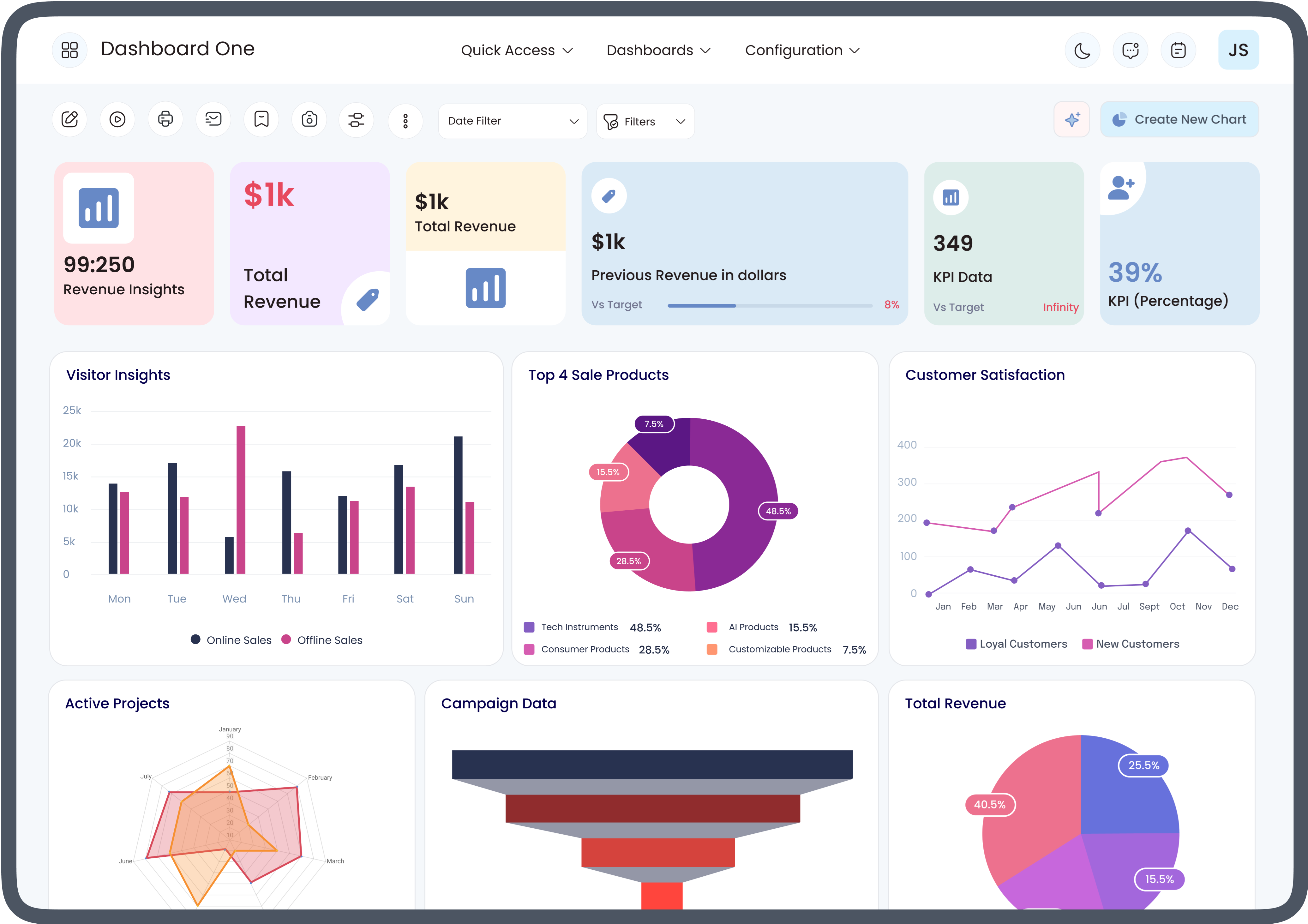
An Odoo sales analytics dashboard is an interactive reporting interface within Odoo that displays sales data using charts, graphs, pivot tables, and key performance indicators (KPIs). Instead of reviewing lengthy spreadsheets or manually compiling reports, users can access real-time business information from a centralized dashboard.
The dashboard enables businesses to analyze various aspects of sales performance, including:
- Revenue trends
- Sales by product
- Sales by customer
- Sales team performance
- Quotations versus confirmed orders
- Regional sales performance
- Monthly and yearly comparisons
This visual approach allows decision-makers to quickly understand business performance without spending hours preparing reports.
Why Reporting Is Essential for Modern Businesses
Reporting plays a critical role in business management because it provides visibility into daily operations. Accurate reports help managers identify opportunities, monitor productivity, and address challenges before they become larger issues.
Effective reporting supports:
- Better decision-making
- Improved forecasting
- Sales performance monitoring
- Inventory planning
- Customer relationship management
- Financial oversight
Without reliable reporting, businesses often rely on assumptions instead of actual performance data.
How the Odoo Sales Analytics Dashboard Simplifies Reporting
One of the greatest strengths of the Odoo sales analytics dashboard is its ability to present complex business data in an easy-to-understand format.
Instead of reviewing hundreds of individual transactions, users can instantly view summarized information through:
- Interactive charts
- Bar graphs
- Pie charts
- Pivot tables
- KPI cards
- Trend analysis
- Custom filters
This saves time while making reports more useful for daily business operations.
Real-Time Data Improves Decision-Making
Traditional reporting often depends on manually generated spreadsheets that may already be outdated by the time they are reviewed.
The Odoo dashboard displays real-time information, allowing managers to monitor:
- Current sales
- Pending quotations
- Customer orders
- Revenue progress
- Product demand
- Sales pipeline activity
Having immediate access to updated information helps businesses respond quickly to changing market conditions.
Better Sales Performance Tracking
Sales managers need detailed visibility into team performance to identify strengths and areas requiring improvement.
The Odoo sales analytics dashboard makes it easy to monitor:
- Individual salesperson performance
- Sales targets
- Order values
- Customer acquisition
- Conversion rates
- Product performance
These insights support more effective sales planning and performance management.
Customizable Reports for Different Business Needs
Every business has unique reporting requirements. Odoo allows users to customize dashboards based on specific operational goals.
Businesses can create reports based on:
- Time periods
- Sales teams
- Products
- Customers
- Geographic regions
- Order status
- Revenue categories
Customized reporting helps different departments focus on the information most relevant to their responsibilities.
Improved Forecasting with Sales Analytics
Historical sales data provides valuable insights for predicting future business performance.
Using the Odoo sales analytics dashboard, organizations can identify:
- Seasonal demand
- Fast-selling products
- Customer purchasing patterns
- Revenue trends
- Business growth opportunities
These insights allow businesses to prepare inventory, allocate resources, and develop more accurate sales forecasts.
Easier Collaboration Across Departments
Reporting is not limited to sales teams alone. Multiple departments rely on accurate information to perform their responsibilities.
Shared dashboards benefit:
- Sales teams
- Finance departments
- Inventory managers
- Customer service teams
- Executive leadership
- Marketing departments
A centralized reporting system ensures everyone works with the same accurate information.
Reducing Manual Reporting Work
Manual reporting requires collecting information from different sources, organizing spreadsheets, and verifying calculations.
Automated dashboards eliminate much of this repetitive work by:
- Updating reports automatically
- Displaying live business data
- Reducing manual calculations
- Minimizing reporting errors
- Saving administrative time
Automation allows employees to spend more time analyzing results rather than preparing reports.
Understanding Odoo Reporting Tool Cost
Before implementing reporting features, many businesses evaluate the Odoo reporting tool cost as part of their ERP investment.
The total cost may vary depending on several factors, including:
- Odoo edition
- Number of users
- Required modules
- Dashboard customization
- Third-party integrations
- Implementation services
- Employee training
- Ongoing maintenance
Understanding these elements helps businesses plan an implementation strategy that meets both operational and financial goals.
Factors That Influence Odoo Reporting Tool Cost
Several variables determine the overall Odoo reporting tool cost.
Business Size
Larger organizations often require additional users, more complex reporting structures, and advanced dashboard configurations.
Custom Dashboard Development
Businesses with specialized reporting requirements may invest in customized dashboards designed specifically for their workflows.
Integration Requirements
Connecting Odoo with CRM systems, accounting software, eCommerce platforms, or third-party applications can increase implementation complexity.
User Training
Proper employee training ensures staff can fully utilize reporting features and interpret dashboard data effectively.
Technical Support
Ongoing support helps maintain dashboard performance, implement updates, and resolve technical issues when needed.
Key Features That Improve Reporting Efficiency
The reporting capabilities of Odoo extend beyond simple sales summaries.
Important features include:
- Interactive dashboards
- Drill-down reporting
- Dynamic filtering
- Export to Excel
- Pivot table analysis
- Graphical visualization
- Scheduled reports
- Multi-company reporting
- User-based access controls
These features allow organizations to analyze business performance from multiple perspectives.
Benefits of Using Odoo Sales Analytics Dashboard
Businesses adopting the Odoo sales analytics dashboard can experience several operational advantages.
These include:
- Faster report generation
- Better visibility into sales performance
- Improved productivity
- Enhanced business planning
- More informed decision-making
- Reduced manual reporting effort
- Better customer insights
- Greater operational transparency
Together, these benefits contribute to stronger business management.
Best Practices for Effective Reporting
To maximize reporting effectiveness, organizations should follow several best practices.
These include:
- Define clear reporting objectives.
- Keep dashboard layouts simple and organized.
- Review reports regularly.
- Train employees on dashboard usage.
- Use filters for deeper analysis.
- Monitor key performance indicators consistently.
- Update reporting requirements as business needs evolve.
- Maintain accurate data entry across departments.
Following these practices helps businesses gain the greatest value from their reporting system.
Conclusion
An Odoo sales analytics dashboard helps businesses transform raw sales information into meaningful insights through real-time reporting, interactive visualizations, and customizable dashboards. Instead of relying on manual spreadsheets, organizations can quickly analyze sales performance, monitor trends, improve forecasting, and make more informed business decisions.
When planning an implementation, understanding the Odoo reporting tool cost is equally important. Factors such as business size, customization, integrations, training, and support all contribute to the overall investment. By combining effective reporting tools with a well-planned implementation strategy, businesses can build a reporting system that improves operational efficiency, supports long-term growth, and enables smarter decision-making across the organization.




 English
 Arabic
 French
 Spanish
 Portuguese
 Deutsch
 Dutch
Dutch
 Italiano
 Russian
 Romaian
 Portuguese (Brazil)
 Greek
Greek