


Rethink Clone Salesforce Flows with migSO’s Clone Wizard

Admins often need to clone Salesforce flows across orgs to ensure consistency and efficiently move working business logic from one org to another. However, manually recreating Salesforce flows often leads to errors and inconsistencies. So the question arises: is there a simplified process to clone Salesforce flows across orgs?
Clone Salesforce Flows like a Pro Using migSO
migSO’s Clone Flow feature is built to address this directly. Rather than walking through the process manually, admins can use migSO to handle flow migration accurately and consistently, with significantly less time involved. This feature is designed to ensure that what is in the source org arrives in the target org intact, without the inconsistencies that manual processes tend to introduce.
For admins managing metadata operations across multiple orgs, this kind of reliability makes a real difference. It is not just about saving time, though it does that too. It is about being confident that bulk clone flows in salesforce across orgs without any errors or inconsistencies.
How to Effortlessly Bulk Clone Flows in Salesforce Across Your Orgs with migSO?
Step 01: Open migSO via App Launcher
Click “App Launcher” and search & select migSO.
Step 02: Select Clone Wizard
Now click migSO “Clone Wizard” tab.
Step 03: Select Clone Flows
Select the Metadata item to clone (e.g., Flows).
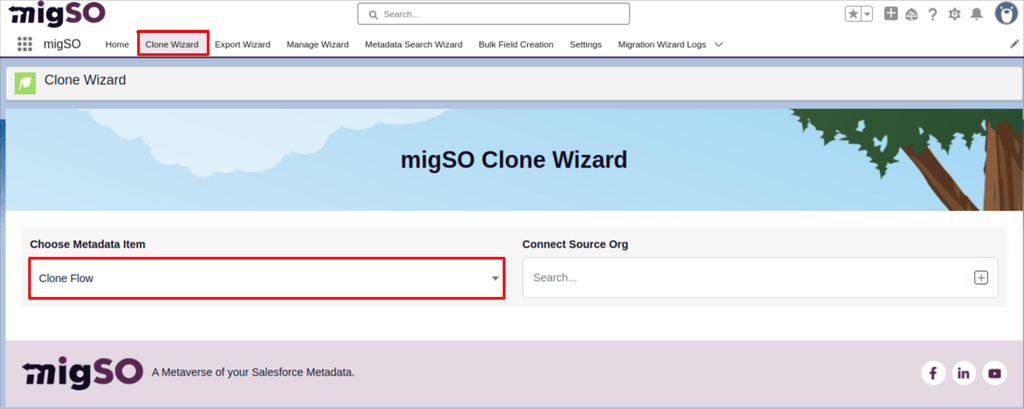
Step 04: Select Source Org
Select the source org or connect a new one. To add a new org, click on the ‘+’ icon, enter details like org name, user name, password, and security token, and click on the Save button.
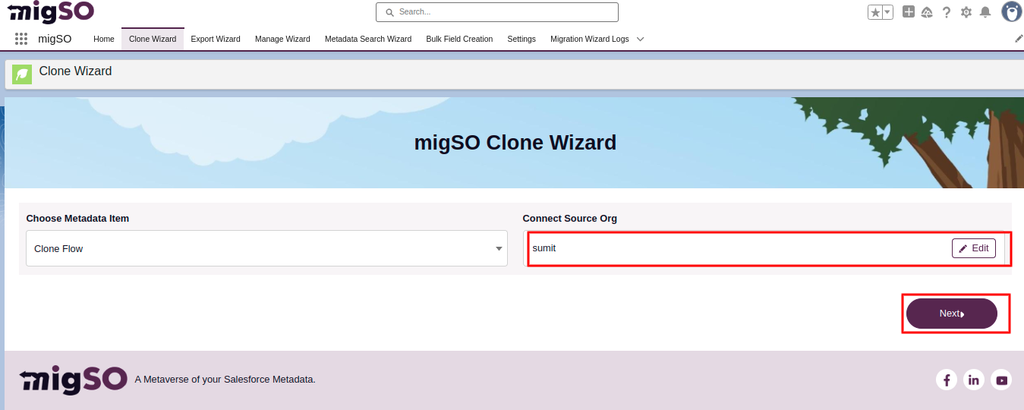
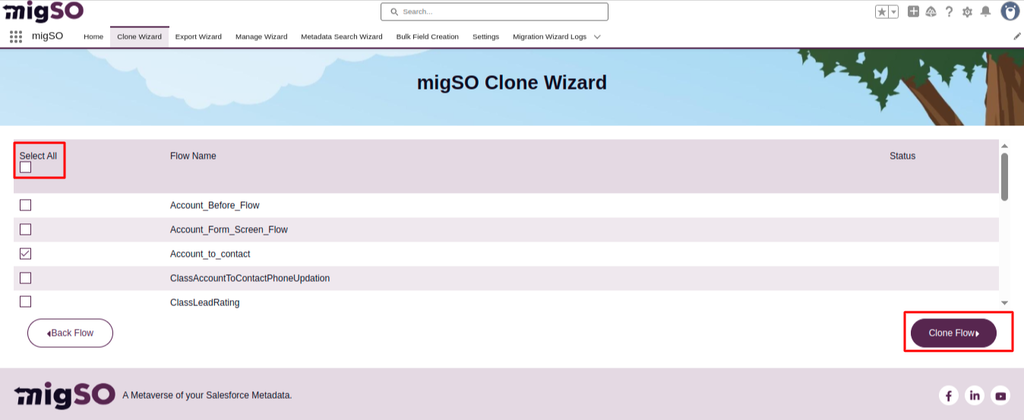
Step 05: Choose Flows & Deploy
Select the flows to clone or click Select All, then click Deploy Flow.
Step 06: Review Deployment Status
Review the deployment status and click Generate Report.
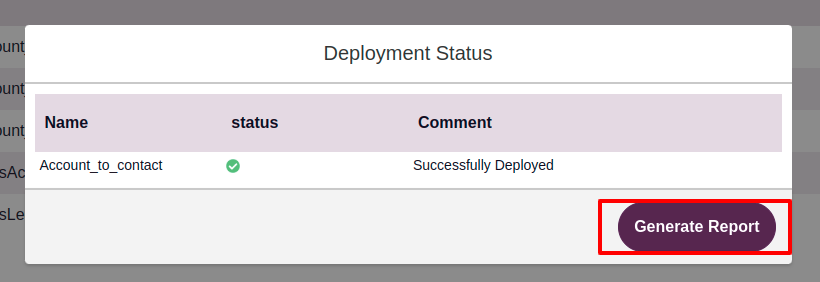
Step 07: Download Report
Review the deployment status, download the report, or restart the clone wizard.
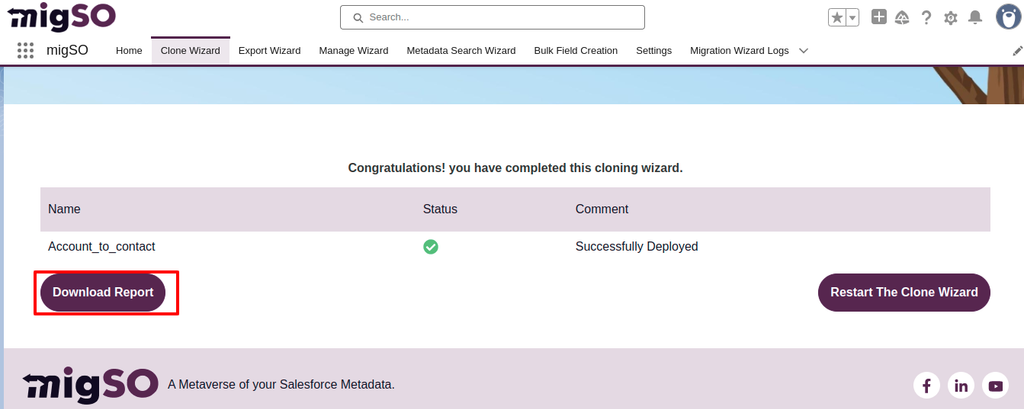
Woohoo! You have successfully cloned flows from one org to another.
Conclusion
It’s time to revolutionize the tedious manual process of bulk clone flows in salesforce with migSO! This feature enables Salesforce admins to effortlessly replicate flows across their orgs, saving time and reducing manual work. It ensures high levels of accuracy and helps maintain consistency across orgs.
Who Are We?
Tech9logy Creators is a Registered ISV Partner Company with over 12 years of experience. We have a certified team of developers with extensive knowledge about Salesforce AppExchange and provide you with the best-in-class personalized apps. Our dedicated Salesforce experts help you bring the best out of your CRM and ensure your business operates at its highest potential.
Contact us for more information.

 English
 Arabic
 French
 Spanish
 Portuguese
 Turkish
 Dutch
Dutch
 Italiano
 Russian
 Romaian
 Portuguese (Brazil)
 Greek
Greek
