


Why Do AirPods (or Any Bluetooth Earbuds) Keep Disconnecting During Calls? 7 Causes Most Users Miss
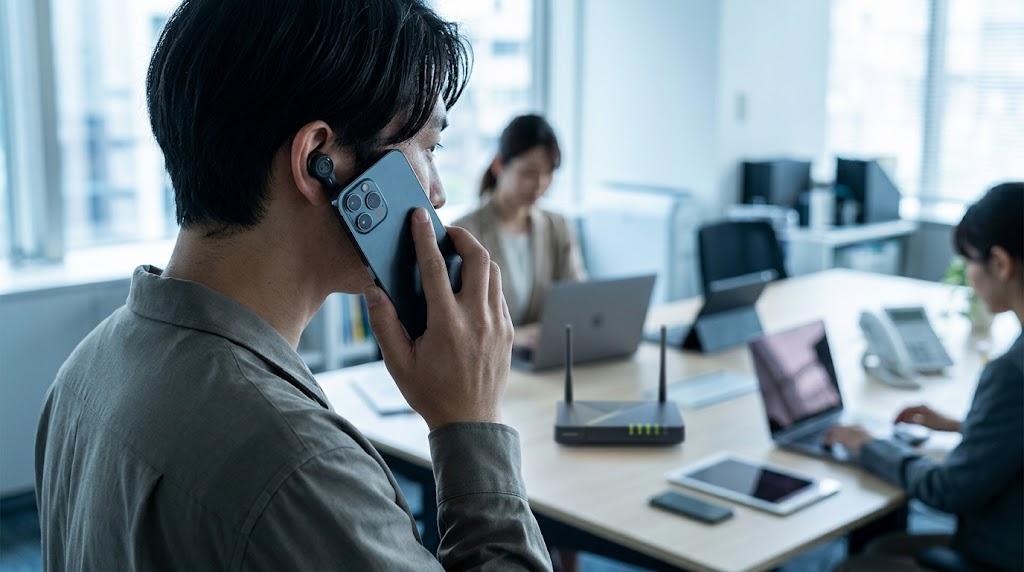
Earbuds dropping out mid-call almost never comes down to a single obvious cause — it's usually one of seven specific things: Bluetooth signal interference, one earbud running low on battery, a phone that's auto-switching between multiple paired devices, outdated firmware, physical obstruction between the earbuds and the phone, a corrupted pairing profile, or background apps competing for Bluetooth bandwidth. Most of these are fixable in under five minutes once you know which one is actually happening.
This applies just as much to AirPods as it does to any true wireless earbuds, including Audio-Technica's TWS lineup — the Bluetooth protocol handling the connection works the same way across brands, so the causes and fixes below aren't brand-specific.
Here's what's actually behind mid-call disconnections, in the order worth checking, and how to fix each one.
1. Bluetooth Signal Interference From Nearby 2.4GHz Devices
Bluetooth operates on the 2.4GHz frequency band, the same band used by most WiFi routers, microwaves, and a growing number of smart home devices. In a crowded apartment or office with multiple WiFi networks, smart speakers, and other Bluetooth devices all competing for the same frequency range, earbuds can lose connection briefly during calls, especially in rooms with a lot of connected devices.
A real scenario: a customer working from a shared co-working space reported constant mid-call dropouts that never happened at home. The cause wasn't the earbuds at all — the co-working space had dozens of devices on overlapping WiFi channels, creating enough 2.4GHz congestion to interrupt the Bluetooth connection repeatedly. Switching the room's WiFi router to the 5GHz band where possible, or simply moving further from the densest cluster of devices, resolved most of the dropouts.
2. One Earbud Running Low on Battery
If one earbud's battery drops critically low mid-call, some earbuds are designed to disconnect that side entirely to preserve the remaining charge, which can sound like the whole connection dropped even though only one earbud actually lost power. This is especially common if you didn't fully charge both earbuds evenly before a long call.
3. Your Phone Auto-Switching Between Paired Devices
Many earbuds support multi-device pairing, connecting to your phone and laptop (or a second phone) simultaneously and switching automatically based on which device is active. If a notification sound or background audio triggers on the second device mid-call, some earbuds interpret that as a signal to switch, causing a brief but noticeable disconnect from your call.
A podcaster recording remote interviews kept losing connection right when their laptop pinged with a calendar notification — the earbuds were auto-switching audio focus to the laptop for that split second, cutting the call. Turning off auto-switching in the earbuds' companion app, where available, or disconnecting the secondary device during important calls, fixed it.
4. Outdated Firmware
Firmware updates for true wireless earbuds frequently include Bluetooth connection stability fixes specifically. Skipping updates means missing bug fixes that the manufacturer already identified and resolved. Most companion apps show current firmware version and prompt for updates automatically, but it's worth checking manually if disconnections have been a recurring, unexplained issue.
Quick Reference: Causes and Fixes
|
Cause |
Typical Sign |
Fix |
|
2.4GHz interference |
Dropouts worse in crowded WiFi/device environments |
Move away from dense device clusters; switch router to 5GHz where possible |
|
Low battery on one earbud |
Dropout coincides with low battery warning |
Charge both earbuds fully and evenly before important calls |
|
Multi-device auto-switching |
Dropout happens right after a notification on another paired device |
Disable auto-switching or disconnect the secondary device during calls |
|
Outdated firmware |
Random, unexplained dropouts with no environmental pattern |
Update firmware through the companion app |
|
Physical obstruction |
Worse when phone is in a pocket or bag, better when phone is in hand |
Keep phone in a front pocket or in hand; avoid body blocking the signal path |
|
Corrupted pairing profile |
Persistent dropouts unresolved by any of the above |
Forget the device on your phone, reset earbuds, and re-pair from scratch |
|
Background app bandwidth competition |
Dropouts specifically during video calls or when multiple apps are active |
Close unused apps during calls; check for apps running background audio processes |
5. Physical Obstruction Between Phone and Earbuds
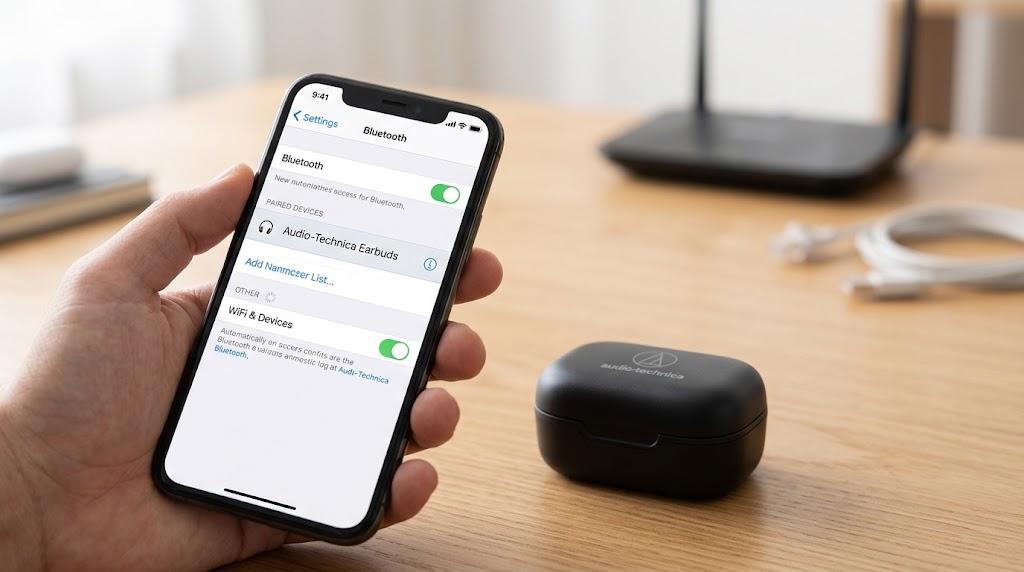
Bluetooth range and reliability depend on a relatively clear line of sight between your phone and earbuds. The human body is a surprisingly effective signal blocker at 2.4GHz — a phone in a back pocket with your body between it and one earbud, or a phone left on the opposite side of a bag, can cause intermittent dropouts that have nothing to do with distance alone.
A gym-goer taking calls during workouts noticed dropouts specifically when their phone was in an armband positioned behind their arm rather than facing forward. Repositioning the phone so there was a clearer path to both earbuds solved it without any settings changes at all.
6. A Corrupted Pairing Profile
Sometimes the Bluetooth pairing itself becomes unreliable over time, independent of any environmental cause. This shows up as persistent, unpredictable dropouts that don't correlate with location, battery level, or other devices. The fix is a full reset: forget the earbuds from your phone's Bluetooth settings, reset the earbuds themselves following the manufacturer's specific reset process, and re-pair as if setting them up for the first time.
7. Background Apps Competing for Bluetooth Bandwidth
Video calls demand more Bluetooth bandwidth than voice-only calls, since they're often syncing audio with other background processes. If multiple apps are actively running audio-related background tasks — a music app still buffering, a messaging app processing voice notes — that competition for bandwidth can cause brief audio interruptions during a call that feel like disconnections.
Common Mistakes People Make Troubleshooting Call Dropouts
Blaming the earbuds before checking the environment. Most dropout patterns tied to a specific location (an office, a gym, a shared space) point to interference, not a hardware fault.
Not checking if the issue is call-specific. If music playback is stable but calls specifically drop, the cause is more likely bandwidth competition or auto-switching than a general Bluetooth hardware issue.
Skipping firmware updates because "the earbuds already work fine." Some connection stability issues only show up intermittently and get missed until a specific update addresses them directly.
Re-pairing without fully forgetting the old connection first. Simply reconnecting through the earbuds' case button without also removing the old pairing from the phone's Bluetooth settings can leave a corrupted profile partially intact.
Assuming a returned or exchanged unit will automatically fix an environmental issue. A customer who exchanged their earbuds twice for the same "random disconnect" issue was still experiencing it with the replacement pair — the actual cause turned out to be a smart home hub sitting directly next to their desk, not a manufacturing defect.
Which Fix Should You Try First Based on Your Situation?
|
Your Situation |
Try This First |
If It Persists |
|
Dropouts only happen in one specific location (office, gym, shared space) |
Check for 2.4GHz interference sources nearby |
Move further from dense device clusters or switch WiFi to 5GHz |
|
Dropouts happen right after a notification on another device |
Disable multi-device auto-switching |
Disconnect the secondary device manually during important calls |
|
Dropouts correlate with low battery |
Charge both earbuds fully before calls |
If the gap between earbuds is large, check for the underlying battery health issue separately |
|
Dropouts are random with no clear pattern |
Update firmware through the companion app |
Forget and re-pair the device from scratch |
|
Dropouts worse when phone is in a pocket or bag |
Reposition the phone for a clearer signal path |
Consider whether the earbuds' stated range is being exceeded regularly |
Someone who works from a busy shared office should prioritize checking for signal interference first, since that's the most likely and most fixable cause in that environment. Someone whose dropouts are truly random and don't correlate with anything obvious should move straight to the full reset-and-re-pair process rather than chasing environmental causes that may not apply.
The Bottom Line
Mid-call earbud dropouts almost always trace back to one of a small number of specific, fixable causes — signal interference, battery timing, device auto-switching, outdated firmware, physical obstruction, a corrupted pairing profile, or bandwidth competition from background apps. Work through them in order of how well they match your specific pattern of dropouts rather than assuming the earbuds themselves are faulty. A full reset and re-pair is the right move only after the more targeted fixes have been ruled out, since it resolves the least common cause on this list.
FAQs
Why do my earbuds keep disconnecting specifically during phone calls but not music?
This usually points to a call-specific cause like multi-device auto-switching, background app bandwidth competition, or the higher processing demand of call audio compared to music streaming. Check whether a second paired device is triggering the disconnect, and close unused background apps during calls.
Does Bluetooth interference really cause earbuds to disconnect?
Yes. Bluetooth shares the 2.4GHz frequency band with WiFi routers and many smart home devices, and in a crowded environment with many competing devices, that congestion can cause real, noticeable disconnections. This is more common in offices, apartments with many neighboring WiFi networks, and spaces with several smart devices running simultaneously.
How do I properly reset earbuds to fix a persistent disconnection issue?
Forget the earbuds from your phone's Bluetooth settings first, then reset the earbuds themselves following the manufacturer's specific process (usually a button press sequence on the case), and re-pair them as a completely new connection. Skipping the "forget device" step on the phone can leave part of the old, corrupted pairing profile intact.
How much do reliable true wireless earbuds cost in Pakistan?
Reliable mid-range true wireless earbuds with stable Bluetooth connections generally fall in the Rs. 10,000–20,000 range in Pakistan, with premium models priced higher [PRICE TBC — confirm on live listing]. Price alone doesn't guarantee connection stability, since environmental interference affects even well-reviewed models.
Can a phone case or thick pocket really cause earbuds to disconnect?
Yes, though it's often underestimated. The human body is an effective signal blocker at Bluetooth's operating frequency, so a phone positioned with your body between it and one earbud, especially in a back pocket, can cause intermittent dropouts that have nothing to do with the earbuds' actual range capability.

 Arabic
 French
 Spanish
 Portuguese
 Deutsch
 Turkish
 Dutch
Dutch
 Italiano
 Russian
 Romaian
 Portuguese (Brazil)
 Greek
Greek
