


How Technology Documentation Can Improve IT Management
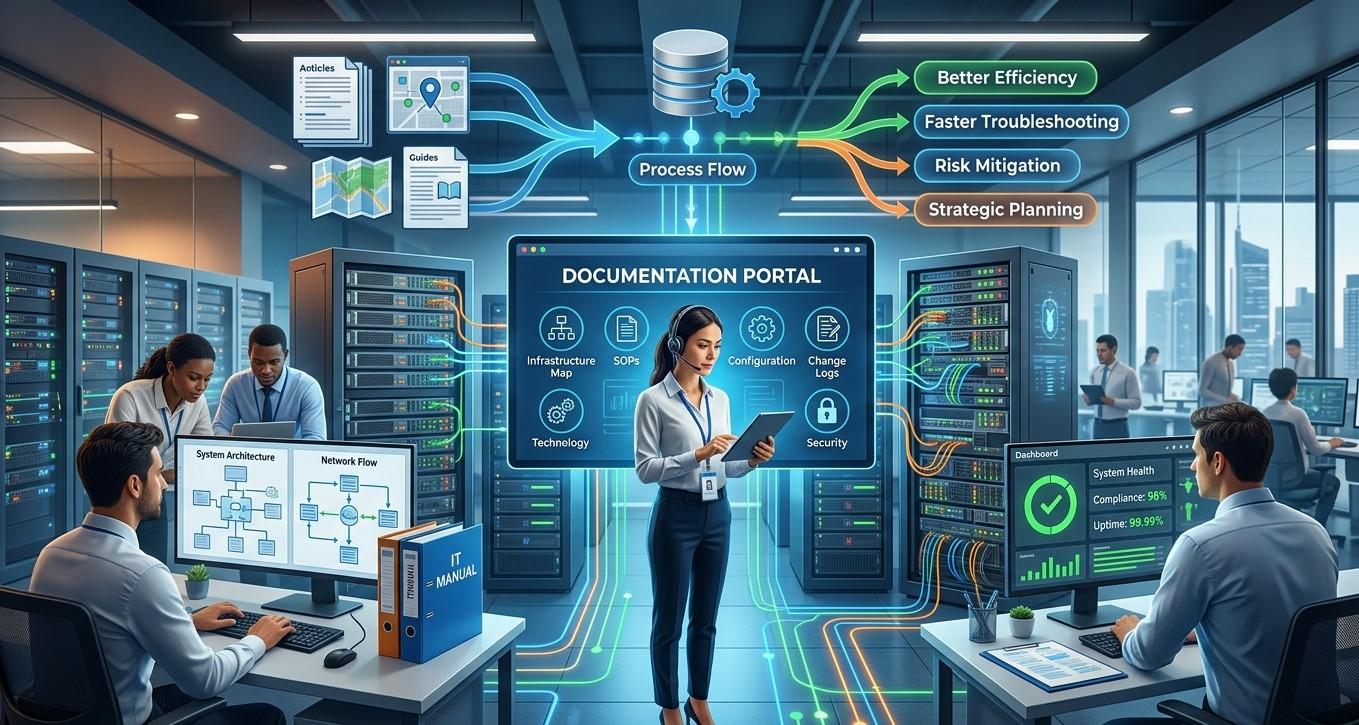
Technology plays an important role in almost every modern business, but managing a growing technology environment can become difficult without accurate information. Computers, servers, networks, applications, cloud platforms, security systems, and user accounts all require ongoing attention. When important technical information is scattered across emails, spreadsheets, or individual employees' knowledge, troubleshooting and maintenance can become slower and more complicated.
For organizations seeking Business IT Support Albany, NY, maintaining clear technology documentation can make IT management more organized and efficient. Precision Fix provides managed IT services, computer support, network support, cybersecurity solutions, and other technology services that can help businesses maintain reliable IT environments and better understand their technology infrastructure.
What Is Technology Documentation?
Technology documentation is the process of recording important information about a business's IT environment in a clear and organized format.
Documentation can include information about:
- Computers and laptops
- Servers
- Network equipment
- Software
- Cloud services
- User accounts
- Security systems
- Backup solutions
- Internet connections
- Business applications
- IT policies
- System configurations
The purpose is to create a reliable source of information that authorized employees and IT professionals can use when managing or troubleshooting technology.
Why Technology Documentation Matters
Businesses often grow and change over time. New employees join, old computers are replaced, applications are added, network equipment is upgraded, and cloud services are introduced.
Without documentation, it can become difficult to answer basic questions such as:
- What equipment does the business have?
- Where is a particular device located?
- Which employee uses a specific computer?
- Which applications are installed?
- How is the network configured?
- Who has administrative access?
- Where are backups stored?
- Which systems are business-critical?
Accurate documentation makes this information easier to find.
Improve IT Troubleshooting
One of the biggest benefits of technology documentation is faster troubleshooting.
When a technical problem occurs, IT professionals need accurate information about the affected environment.
For example, if an employee cannot access a business application, documentation may help identify:
- The employee's device
- Relevant network connections
- Application dependencies
- User permissions
- Server locations
- Required services
Instead of spending time discovering basic information, IT teams can use existing documentation to begin investigating the problem more quickly.
This can help reduce employee downtime and improve the overall efficiency of IT support for small businesses.
Document the Business Network
Network documentation is particularly important because network infrastructure connects many business systems.
Businesses should document important network components such as:
- Routers
- Firewalls
- Switches
- Wireless access points
- Servers
- Internet connections
- Network segments
- IP address assignments
- VPN connections
A network diagram can also provide a visual representation of how important devices are connected.
This information can make network troubleshooting, upgrades, and security reviews easier.
Keep Hardware Records Organized
Businesses should maintain documentation for their technology assets.
Hardware records can include:
- Device type
- Manufacturer
- Model
- Serial number
- Purchase date
- Warranty information
- Assigned employee
- Physical location
- Operating system
- Replacement date
These records support effective IT asset management.
When a computer experiences a problem, IT staff can quickly identify its specifications, warranty status, and assigned user.
Hardware documentation can also help businesses plan future replacements and technology budgets.
Document Software and Applications
Software documentation is just as important as hardware documentation.
Businesses may rely on applications for accounting, customer management, communication, file sharing, scheduling, project management, and other operations.
Documentation should identify important applications and, where appropriate:
- Version
- License information
- Subscription details
- Assigned users
- Renewal dates
- Integration requirements
- Support information
Keeping this information organized can help businesses avoid expired licenses, duplicate subscriptions, and unexpected software interruptions.
Improve Employee Onboarding
Technology documentation can make employee onboarding more consistent.
When a new employee joins the company, IT staff need to know what systems and resources the employee requires.
Documentation can help identify:
- Required hardware
- Email accounts
- Software
- Security tools
- Network access
- Shared folders
- Business applications
- Department-specific permissions
With a documented onboarding process, IT teams can follow a consistent checklist instead of relying on memory.
This can help new employees become productive more quickly.
Simplify Employee Offboarding
Offboarding is equally important from a security perspective.
When an employee leaves a business, access should be reviewed and removed appropriately.
Documentation can help IT teams identify:
- Email accounts
- User accounts
- Shared mailbox access
- Cloud applications
- VPN access
- File permissions
- Company devices
- Administrative privileges
A documented offboarding process reduces the likelihood of forgotten accounts or devices remaining active after an employee leaves.
Strengthen Cybersecurity
Technology documentation can also support small business cybersecurity.
Businesses cannot effectively secure systems they do not know about.
Accurate documentation can help identify:
- Connected devices
- Network infrastructure
- User accounts
- Administrative access
- Security tools
- Cloud services
- Backup systems
- Critical applications
Security teams can use this information when performing vulnerability assessments, access reviews, and cybersecurity risk assessments.
Documentation should be protected appropriately because it may contain sensitive technical information.
Support Better Access Management
User access is an important part of cybersecurity.
Businesses should document which users have access to important systems and why that access is required.
Access documentation can help identify:
- Standard user accounts
- Administrator accounts
- Shared accounts
- Application permissions
- Remote access
- Cloud services
- Department-level access
Regularly reviewing this information can help businesses remove unnecessary permissions and follow the principle of least privilege.
Make IT Disaster Recovery Easier
When a major technology problem occurs, documentation becomes especially valuable.
A disaster recovery plan may require information about:
- Servers
- Network equipment
- Applications
- Backup systems
- Cloud services
- Internet connections
- Recovery procedures
- Vendor contacts
Without accurate documentation, recovery teams may waste valuable time trying to determine how systems were configured.
Good documentation can provide a roadmap for restoring important technology services.
Support Business Continuity Planning
Business continuity planning focuses on keeping essential operations running during disruptions.
Technology documentation can help identify which systems are critical to the business.
For example, a company may determine that its accounting platform, customer database, communication system, and file storage are essential.
Once these systems are identified, businesses can prioritize them during recovery planning.
This helps connect everyday technology management with broader business continuity objectives.
Reduce Dependence on Individual Employees
Businesses sometimes rely heavily on one employee who understands how a particular system works.
If that employee leaves, becomes unavailable, or changes roles, the business may suddenly lose access to important technical knowledge.
Documentation helps transfer knowledge from individuals into an organized business resource.
This can be especially important for:
- Network configurations
- Application procedures
- Vendor information
- Backup processes
- Administrative responsibilities
- Troubleshooting procedures
Documenting critical information helps make IT knowledge more accessible to authorized team members.
Make Technology Upgrades Easier
Technology upgrades require planning.
Before replacing a server, upgrading a network, or deploying new software, IT teams need to understand the current environment.
Documentation can provide information about:
- Existing hardware
- Software dependencies
- Network configuration
- User requirements
- Security controls
- Integration points
This can reduce the risk of overlooking an important dependency during an upgrade.
Accurate documentation also supports better technology planning for growing businesses.
Improve Vendor and IT Support Communication
Businesses often work with external IT providers, software vendors, internet service providers, and other technology partners.
Clear documentation can make communication with these providers easier.
Instead of repeatedly explaining the business environment, authorized IT personnel can provide relevant documentation when troubleshooting or planning changes.
This can help reduce delays and improve coordination.
Establish Standard IT Procedures
Technology documentation should not only describe systems. It can also document standard procedures.
Examples include:
- New employee setup
- Employee offboarding
- Password recovery
- Device deployment
- Backup verification
- Software installation
- Security incident reporting
- Equipment replacement
- Network troubleshooting
Standard procedures help ensure that important tasks are performed consistently.
Keep Documentation Updated
Creating documentation is only the beginning.
Outdated documentation can be nearly as problematic as having no documentation.
Businesses should update records when:
- Hardware changes
- Software changes
- Employees join or leave
- Network configurations change
- Security controls are modified
- Cloud services are added
- Password or access procedures change
Organizations should assign responsibility for maintaining documentation and schedule periodic reviews.
Protect Sensitive Documentation
Technology documentation may contain information about network architecture, systems, vendors, accounts, and security configurations.
Businesses should protect this information appropriately.
Security practices may include:
- Restricting access
- Using strong authentication
- Encrypting sensitive information
- Maintaining secure backups
- Tracking important changes
- Avoiding unnecessary sharing
Documentation should be available to authorized personnel without becoming an unnecessary security risk.
Use Centralized Documentation
Keeping technical information in multiple spreadsheets, notebooks, emails, and documents can make it difficult to find.
Businesses can benefit from maintaining documentation in a centralized and organized system.
A centralized approach can make it easier to:
- Search for information
- Update records
- Control access
- Track changes
- Share information with authorized IT personnel
The specific documentation platform will depend on the size and needs of the business.
How Professional IT Support Can Help
Creating and maintaining technology documentation requires time and technical knowledge.
Small businesses without dedicated IT staff may struggle to keep documentation current while handling everyday support needs.
Professional managed IT services can help businesses document hardware, software, networks, security controls, backups, users, and important IT procedures.
Professional IT providers can also review documentation regularly and update it as the business technology environment changes.
FAQs About Technology Documentation
What should a small business document?
Businesses should document important information about hardware, software, networks, users, cloud services, security systems, backups, vendors, and IT procedures.
How often should technology documentation be updated?
Documentation should be updated whenever significant technology or personnel changes occur. Businesses should also perform periodic reviews to identify outdated information.
Can documentation improve cybersecurity?
Yes. Accurate documentation helps businesses understand what systems and devices they have, who has access, and which security controls are in place.
Why is network documentation important?
Network documentation provides information about how devices and systems connect. This can make troubleshooting, security reviews, upgrades, and disaster recovery easier.
Can IT providers help with technology documentation?
Yes. Managed IT service providers can help create, organize, maintain, and regularly update technical documentation.
Final Thoughts
Technology documentation is an important part of effective IT management. As businesses become more dependent on computers, networks, cloud applications, cybersecurity tools, and digital data, maintaining accurate technical information becomes increasingly valuable.
Well-organized documentation can improve troubleshooting, support employee onboarding and offboarding, strengthen cybersecurity, simplify disaster recovery, improve technology planning, and reduce dependence on individual employees.
For organizations seeking Business IT Support Albany, NY, professional assistance can help create and maintain documentation that accurately reflects the company's technology environment. Precision Fix provides managed IT services, computer support, network support, cybersecurity solutions, and other technology services that can help businesses manage their IT infrastructure more effectively.
Technology changes constantly, so documentation should be treated as an ongoing part of IT management rather than a one-time task. When technical information is accurate, organized, secure, and accessible to the right people, businesses can manage technology with greater consistency and confidence.

 English
 Arabic
 French
 Spanish
 Portuguese
 Deutsch
 Turkish
 Dutch
Dutch
 Italiano
 Romaian
 Portuguese (Brazil)
 Greek
Greek
