


What can cause a TCL television to lose its network connection repeatedly?
Introduction
A TCL television that repeatedly loses its network connection can interrupt streaming, online gaming, video calls, and access to smart TV applications. You may notice that the TV disconnects from Wi-Fi while watching a programme, displays a network error, or requires you to reconnect to the internet every time you turn it on. In some cases, the television remains connected to the router but cannot access online services.
These interruptions can occur because of a weak Wi-Fi signal, router problems, incorrect network settings, outdated television software, or an issue with the TV's wireless hardware. Identifying the cause is important because a network problem does not always mean that the television itself is faulty.
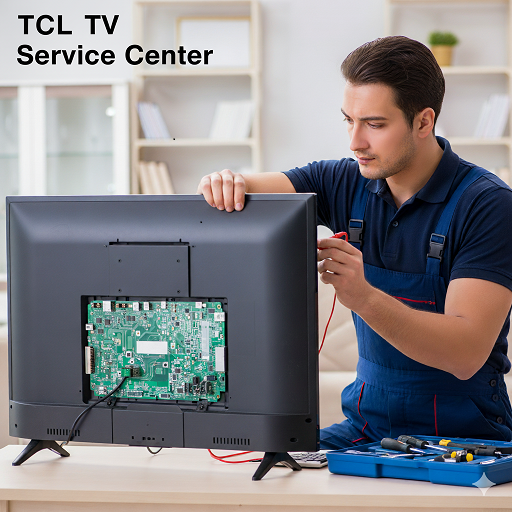
If your TCL TV continues disconnecting after basic troubleshooting, a TCL TV Service Center in Faridabad is one location-specific option to explore for technical assistance. Before arranging an inspection, it helps to understand the common causes, the checks you can perform safely, and the signs that indicate a more detailed diagnosis may be necessary.
Why Does a TCL Television Keep Losing Its Network Connection?
Repeated disconnections can originate from the television, the wireless router, or the internet connection. Observing when the problem occurs can help you identify which part of the setup needs attention.
1. Weak or Unstable Wi-Fi Signal
A weak wireless signal is one of the most common reasons a smart television may disconnect repeatedly. If the router is far from the TV, separated by thick walls, or positioned inside an enclosed cabinet, the signal may not remain strong enough for a stable connection.
You may experience buffering before the TV disconnects, slow loading of streaming applications, or difficulty reconnecting after the signal drops.
To investigate this possibility, check the TV's Wi-Fi signal strength if the settings provide that information. If practical, move the router closer to the television or reduce obstructions between the two devices.
If the connection becomes stable when the TV is closer to the router, wireless coverage may be contributing to the issue.
2. Router or Modem Problems
The television may lose its connection because the router or modem is experiencing interruptions. A router that needs restarting, has outdated firmware, or is handling many connected devices may provide an inconsistent connection.
Check whether phones, computers, and other devices connected to the same network also disconnect. If several devices experience the same problem, the cause may lie with the router, modem, or internet service rather than the TCL TV.
Restarting the router according to its manufacturer's instructions may resolve a temporary issue. Allow it to reconnect fully before testing the television again.
If other devices continue losing their connections, contact your internet service provider or router support team for further assistance.
3. Internet Service Interruptions
A television can remain connected to Wi-Fi while losing access to the internet. This distinction matters because the TV may show that it is connected to the router even though streaming applications cannot load content.
Temporary service interruptions, maintenance, or problems with the internet provider can cause online features to stop working.
Check whether other devices can access websites or stream content using the same network. You can also test the television using another available internet connection, such as a mobile hotspot, while keeping data usage in mind.
If the TV works properly on another network, the original internet connection or router configuration may be responsible.
4. Incorrect Network Settings
Incorrect or conflicting network settings can prevent a television from maintaining a reliable connection. The problem may involve saved Wi-Fi credentials, IP address assignment, DNS configuration, or other router settings.
For example, the television may connect successfully after you enter the password but disconnect again later. In some cases, it may repeatedly attempt to obtain a network address.
Start by checking that the saved Wi-Fi network and password are correct. You can also forget the network and reconnect using the correct credentials.
If the problem continues, review the network settings using the manufacturer's instructions. Avoid changing advanced router settings unless you understand their purpose or have guidance from your internet provider.
5. Wi-Fi Interference
Wireless signals can be affected by nearby electronic devices, neighbouring networks, walls, and other sources of interference.
Interference may cause the connection to fluctuate even when the television is relatively close to the router. The problem can be more noticeable in crowded residential buildings where multiple wireless networks operate nearby.
If your router supports both 2.4 GHz and 5 GHz Wi-Fi bands, test the available band that provides suitable coverage and stability for your TV. The 2.4 GHz band may reach farther in some environments, while 5 GHz can offer higher speeds over shorter distances.
The most suitable option depends on the router, television model, distance, and surrounding wireless conditions.
6. Outdated TV Software
The television's operating system manages its network functions, smart applications, and other connected features. Software errors or compatibility issues can sometimes affect Wi-Fi stability.
If the disconnections began after a software update or the TV has not been updated for a long time, check whether an appropriate update is available.
Use the television's supported update process and maintain a stable power supply during installation. If the TV cannot stay connected long enough to download an update, follow the manufacturer's alternative update instructions for your model.
Do not interrupt an update while it is in progress, as this can create additional software problems.
7. Router Compatibility or Configuration Issues
Some connection problems arise from the way a router is configured. Wireless security settings, band selection, access controls, or firmware compatibility may affect whether a television can connect consistently.
If the TV connects to one router but repeatedly disconnects from another, the difference can provide a useful clue.
Check whether the router has recently received a firmware update or had its settings changed. If necessary, ask your internet provider or router manufacturer to review the configuration.
Avoid disabling wireless security or making unsupported changes simply to keep the TV connected. The network should remain appropriately protected.
8. Problems With the TV's Wireless Hardware
If the network continues dropping across different routers and internet connections, the television's wireless hardware may need investigation.
Possible causes include a faulty wireless module, an internal connection issue, or another hardware problem affecting network communication. However, repeated disconnection alone is not enough to confirm a component failure.
A technician can perform appropriate checks to determine whether the problem originates within the television or from an external network source.
Do not open the television to inspect its wireless components yourself. Internal parts may present electrical hazards, and opening the unit could affect warranty coverage.
How Can You Troubleshoot a TCL TV That Keeps Disconnecting?
Before arranging a technical inspection, try these practical checks. They can help resolve common network problems and provide useful information if the issue continues.
Step 1: Check the Connection Status
Open the television's network settings and review its connection status. Confirm whether the TV is connected to Wi-Fi, whether it has internet access, and whether a network error appears.
If the TV is connected to Wi-Fi but online applications do not work, the problem may involve internet access rather than the wireless link itself.
Make a note of any error message or unusual behaviour.
Step 2: Restart the TV and Router
A restart can clear temporary connection errors.
- Turn off the television.
- Restart the router or modem according to its instructions.
- Wait for the network to become available.
- Turn the TV back on.
- Reconnect if necessary and test an online application.
If other devices are also having trouble, focus on the router and internet service first.
Step 3: Forget and Reconnect to Wi-Fi
If the television repeatedly fails to reconnect, remove the saved network from its settings and connect again.
Select the correct Wi-Fi network and enter the password carefully. Check for accidental spaces or typing errors.
Once connected, use the TV normally for a while to see whether the connection remains stable.
Step 4: Test Another Network
Connecting the television to another available network can help isolate the cause.
If it stays connected to a mobile hotspot or another router, the original network's signal, settings, or internet service may be involved.
If the TV disconnects from multiple independent networks, the television itself may require closer examination. Keep in mind that a temporary hotspot test may not reproduce every home-network condition.
Step 5: Improve Router Placement
Place the router in an open, elevated location where possible. Avoid hiding it behind large objects or placing it next to equipment that may cause interference.
If the router is far from the television, consider a suitable network access point or mesh system. Make sure any additional equipment is configured correctly and provides a stable connection.
Step 6: Check for Software Updates
If the TV can maintain a connection long enough, check for system updates through its settings.
Follow the instructions for your exact TCL model. If the update fails repeatedly because the connection drops, do not keep restarting the process without checking the recommended procedure.
Step 7: Reset Network Settings if Available
Some TCL televisions provide an option to reset network settings. This can remove saved network information and allow you to establish a fresh connection.
Use this option only if it is available for your model and you are comfortable reconnecting the TV afterwards.
A full factory reset is more disruptive because it may erase other settings and application information. Consider it only after simpler checks and in accordance with the manufacturer's guidance.
How Does a TCL TV Service Center Investigate Repeated Network Disconnections?
When basic troubleshooting does not resolve the issue, a structured technical assessment can help determine whether the cause is related to the network, software, or internal hardware.
1. Reviewing the Reported Symptoms
The technician may ask when the TV disconnects, how often it happens, and whether it reconnects automatically.
Important details include whether the issue occurs during streaming, after the television wakes from standby, or when several devices are using the network.
The technician may also ask whether the TV connects successfully to other Wi-Fi networks. This information helps narrow down the possible causes.
2. Checking Network Connectivity
The television's network status and connection behaviour may be examined. Depending on the model and available diagnostic tools, the assessment may include checking signal strength, connection stability, and network configuration.
If the TV connects to Wi-Fi but cannot access online services, the investigation may focus on internet access, DNS, or router-related factors.
3. Testing With a Different Network
Testing the television on another network can help distinguish between a home-network problem and an issue that follows the TV.
If the television remains connected to the alternative network, the original router or its configuration may need further attention.
If the problem continues across networks, the technician may investigate the television's software and hardware.
4. Reviewing Software and Firmware
The technician may check the TV's software version and investigate whether a known software issue could explain the disconnections.
Where appropriate, a supported update or recovery procedure may be recommended. The correct process depends on the television's model and software platform.
5. Inspecting Wireless Hardware
If external network conditions and software do not explain the issue, internal wireless components may require testing.
A qualified technician can inspect relevant components and connections using suitable methods. This helps determine whether a hardware repair is justified rather than replacing parts based only on symptoms.
6. Verifying Connection Stability
After troubleshooting or repair, the television should be tested to confirm that it can connect and remain connected under normal conditions.
Testing may include reconnecting to Wi-Fi, opening online applications, and checking whether the connection drops during regular use.
The final assessment should establish whether the original symptoms have been resolved or whether further network investigation is needed.
Finding TCL TV Service Assistance in Different Cities
If your TCL television continues losing its network connection, you may wish to explore a service option relevant to your location. Explain the symptoms clearly and confirm the available support for your particular model.
TCL TV Service Center in Faridabad
For recurring Wi-Fi disconnections, the TCL TV Service Center in Faridabad is a location-specific option to explore.
Before seeking assistance, note whether other devices on the same router also lose their connection. Mention whether the television disconnects during streaming, after standby, or at random intervals. These details can help distinguish a network issue from a possible TV-related fault.
TCL TV Service Center in Lucknow
If your television repeatedly drops its Wi-Fi connection despite restarting the router and reconnecting to the network, you can explore the TCL TV Service Center in Lucknow.
Share the TV's model number and explain which troubleshooting steps you have completed. If the television works on another network but not at home, mention that result because it may point towards router settings or wireless coverage.
TCL TV Service Center in Patna
For persistent network interruptions, the TCL TV Service Center in Patna is another location-specific option to consider.
Describe whether the TV shows a Wi-Fi disconnection message, remains connected without internet access, or repeatedly asks for the network password. Clear information about the symptoms can help establish the next diagnostic steps.
Service availability, appointment arrangements, warranty coverage, and repair options may vary. Confirm the details for your television model and location before proceeding.
What Information Should You Prepare Before Seeking Technical Assistance?
Preparing a few details can make it easier to explain the issue and help the technician understand what has already been tested.
- TV model number: Find it on the product label or in the settings menu, if accessible.
- Network type: Note whether the TV uses Wi-Fi or a wired Ethernet connection.
- Disconnection pattern: Explain whether the problem occurs randomly, during streaming, or after standby.
- Error messages: Record any network warnings or codes displayed on the screen.
- Other connected devices: Mention whether phones, computers, or other devices also lose internet access.
- Troubleshooting completed: List any router restarts, network resets, or software updates attempted.
- Alternative network test: Explain whether the TV remains connected to another router or hotspot.
If the disconnection happens intermittently, a short video showing the error message may be useful. Do not dismantle the television or expose internal components while recording or investigating the issue.
How Can You Prevent Frequent Network Disconnections?
Although some faults require technical attention, a few routine practices can help maintain a more reliable connection.
Keep the router in an open location and ensure the television receives a suitable wireless signal. Update router firmware and TV software through supported methods, and use a secure, correctly configured network.
Avoid frequently changing network settings without a clear reason. If several devices experience interruptions, investigate the router or internet service rather than assuming the television is responsible.
For a television that is far from the router, consider a properly configured access point, mesh system, or wired Ethernet connection if the model supports it. Choose a setup that provides stable coverage for your home.
If the TV continues disconnecting across different networks, arrange a technical assessment instead of repeatedly resetting the same settings.
Conclusion
A TCL television that repeatedly loses its network connection may be affected by weak Wi-Fi coverage, router problems, internet service interruptions, incorrect settings, software issues, or a fault in its wireless hardware. Start by checking whether other devices are affected, restarting the router and television, reconnecting to Wi-Fi, and testing another network.
If the problem persists across different connections, a technical inspection can help determine whether the television requires further attention. Keep a record of error messages, the disconnection pattern, and the checks you have completed. You can explore the relevant service options in Faridabad, Lucknow, or Patna based on your location. Dial Service Centre can also be contacted to discuss available assistance for your television.
Frequently Asked Questions
1. Why does my TCL TV keep disconnecting from Wi-Fi?
Repeated disconnections can be caused by weak signal strength, router problems, wireless interference, incorrect network settings, software issues, or a problem with the TV's wireless hardware. Check whether other devices also disconnect and test the TV on another network to narrow down the cause.
2. Why does my TCL TV show Wi-Fi connected but no internet?
The television may be connected to the router but unable to access the internet. This can happen because of an internet service interruption, router configuration issue, or DNS-related problem. Check other devices and restart the router before changing the TV's settings.
3. Can outdated software cause TCL TV network problems?
Yes. Software errors or compatibility issues may affect network stability. Check for an update that is appropriate for your model and follow the manufacturer's instructions. If the TV cannot remain connected long enough to update, seek guidance on the supported update procedure.
4. When should I contact a TCL TV Service Center in Lucknow?
Consider contacting a TCL TV Service Center in Lucknow if your television continues disconnecting after you have checked the router, reconnected to Wi-Fi, and tested another network. Persistent problems across multiple networks may require further technical diagnosis.
5. How can I tell whether my TCL TV has a hardware network fault?
If the television repeatedly disconnects from multiple stable networks while other devices remain connected, a TV-related issue may be possible. However, this does not confirm a hardware fault. A technician can investigate the software, network configuration, and wireless components to identify.
Read Our Previous Blog------->How can a Hisense TV Service Center investigate a television that responds slowly to commands?

 English
 Arabic
 Spanish
 Portuguese
 Deutsch
 Turkish
 Dutch
Dutch
 Italiano
 Russian
 Romaian
 Portuguese (Brazil)
 Greek
Greek
