


Why might a TCL TV show a blank screen after changing the input source?
Introduction
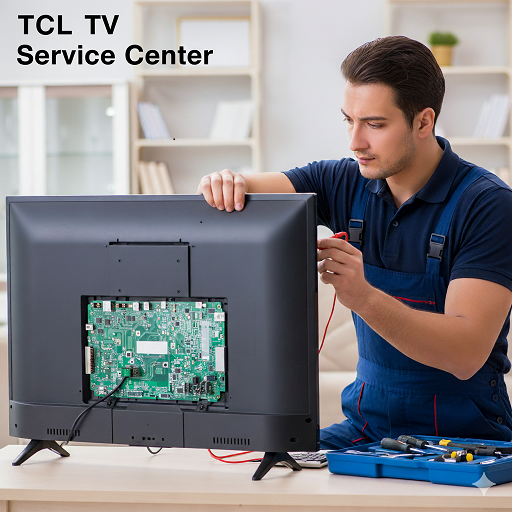
A TCL TV may show a blank screen after changing the input source when the selected device is not sending a compatible signal, the connection is unstable, or the television has difficulty detecting the source. HDMI cables, input ports, source-device settings, software behavior, and display-related faults can all contribute to this symptom. Sometimes the television is operating normally, but the connected device has not established a proper video connection. A TCL TV Service Center in Thane can help determine whether the problem originates from the source, connection, settings, or television hardware.
What Happens When a TCL TV Shows a Blank Screen?
A blank screen after changing inputs does not necessarily mean that the television has stopped working. The TV may still have sound, respond to the remote, or display its menus normally while the selected source produces no visible picture.
The problem may appear in several ways:
- The screen becomes completely black.
- The selected HDMI input shows no picture.
- A “No Signal” message appears.
- The TV switches to the input but displays nothing.
- The picture appears briefly and then disappears.
- One input works while another produces a blank screen.
- The source device is detected but its video output remains unavailable.
Understanding exactly what happens after the input is selected can help narrow down the cause.
Incorrect Input Selection
One of the simplest explanations is that the television is set to an input different from the port being used by the external device.
For example, a device connected to HDMI 2 will not display correctly if the television is set to HDMI 1. This can happen when several devices are connected and their cables are moved between ports.
Checking the physical HDMI connection and matching it with the input shown on the TV can resolve a basic source-selection problem.
Loose or Damaged HDMI Cable
An HDMI cable carries both video and audio between compatible devices. If the cable is loose, damaged, bent excessively, or unable to maintain a stable connection, the TV may display a blank screen after switching to that source.
Disconnecting the cable and reconnecting it securely at both ends can help. If possible, testing another compatible HDMI cable provides a useful comparison.
If the picture returns after replacing the cable, the television may not have an internal fault.
Problems With the External Source Device
A blank screen can originate from the device connected to the selected input. Set-top boxes, gaming consoles, laptops, Blu-ray players, streaming devices, and other equipment can experience startup or output problems.
The source device may be powered on while failing to transmit a usable video signal. It may also be frozen, still completing its startup sequence, or configured incorrectly.
Testing another device on the same HDMI port can help determine whether the problem follows the source device.
Unsupported Resolution or Display Format
External devices can be configured to output different resolutions and display formats. If the source is set to a format that the television does not properly accept under the current connection conditions, the result may be a blank screen.
This can happen after changing the source device, adjusting its display settings, or connecting it to a different television.
If the external device offers a resolution or display reset option, returning it to a compatible output setting may restore the picture.
HDMI Port Problems
A TCL television may have several HDMI ports, and a problem affecting one port does not necessarily mean every input is affected.
If a device works on one HDMI port but produces a blank screen on another, the affected port may need closer examination. Physical damage, a loose connector, or an internal connection issue can interfere with signal transmission.
Trying another HDMI input is a useful diagnostic step before assuming that the television has a larger display problem.
HDMI Communication and Device Detection
Modern HDMI connections involve communication between the television and the connected device. The two devices must establish a connection and agree on supported video and audio parameters.
If this communication does not complete correctly, the television may identify the device but fail to display its video signal.
A complete restart of both devices can sometimes re-establish the connection. If the problem returns repeatedly, further testing may be needed.
HDMI-CEC and Automatic Source Behavior
HDMI-CEC allows compatible devices to communicate with the television and can provide automatic source switching. While convenient, communication between multiple devices can occasionally result in unexpected input behavior.
A connected sound system, streaming device, set-top box, or gaming console may influence which source the television selects.
If the television changes inputs unexpectedly or returns to another source shortly after selection, checking connected devices and related control settings may help identify the cause.
Temporary Software Problems
The TV's operating software manages input detection, source switching, system menus, and communication with connected devices. A temporary software problem can therefore affect the picture after changing inputs.
Restarting the television may clear a temporary system condition. It can also be useful to restart the connected source device rather than restarting only the TV.
If the television continues to show a blank screen across several inputs despite normal connections, software and firmware status may need to be evaluated.
Power Cycling the TV and Source Device
A complete power cycle can help restore HDMI communication when devices become stuck during connection initialization.
The TV and connected source should be turned off. After allowing them to remain off briefly, they can be powered on again and the input can be selected once the source device has completed its startup process.
This procedure is particularly useful when the screen was working normally before a device or input change.
Source-Specific Versus Television-Wide Problems
An important diagnostic question is whether the blank screen affects one input or all sources.
If only one HDMI device produces a blank screen, the cable, source device, resolution setting, or specific HDMI port should be considered first.
If several HDMI devices fail on multiple ports, the television's software, input circuitry, or another internal component may require investigation.
If the TV's own menus appear normally but external sources do not, this can provide useful information about where the fault may be located.
How to Test the TV Before Seeking Service
A few controlled checks can help determine the likely cause:
- Confirm that the external device is powered on.
- Verify which HDMI port the device is connected to.
- Select the corresponding input on the TV.
- Disconnect and reconnect the HDMI cable.
- Test another compatible HDMI cable.
- Try another HDMI port.
- Restart both the TV and source device.
- Test another external device on the same input.
- Check the source device's video output settings.
- Observe whether the TV's own menus continue to display normally.
These checks can help separate a connection problem from a television-side issue.
When Professional Diagnosis May Be Needed
If the blank screen continues after testing multiple cables, devices, and HDMI ports, professional assessment may be appropriate. A technician can reproduce the symptom and determine whether it is related to the input system, signal processing, power circuitry, or display hardware.
A systematic diagnostic process may include testing each input, checking source detection, inspecting connectors, examining software behavior, and evaluating relevant internal circuits.
Customers looking for a TCL TV Service Center in Thane can provide information about the source device, affected input, cable type, and whether other sources work normally. These details can make the initial assessment more focused.
TCL TV Service Center in Mumbai
Input-related picture problems can have several possible causes. A television that displays one external source correctly but produces a blank screen with another may have a source-specific issue rather than a general display failure.
For customers searching for a TCL TV Service Center in Mumbai, it can be useful to explain whether the TV displays a “No Signal” message, remains completely black, or briefly shows a picture before losing it.
The pattern of the symptom can help distinguish between a signal problem and a deeper technical concern.
TCL TV Service Center in Navi Mumbai
Customers looking for a TCL TV Service Center in Navi Mumbai can check whether the issue is limited to a particular HDMI port or affects every external source.
If the TV menu remains visible while external devices produce a blank screen, this information can be particularly useful during diagnosis. Likewise, if the television itself becomes unresponsive after changing inputs, the investigation may need to include software or internal system behavior.
Why Accurate Diagnosis Matters
A blank screen does not automatically indicate a damaged display panel. The issue may be caused by a cable, source device, incorrect output setting, HDMI port, or communication problem.
Replacing an internal component without identifying the actual cause may not resolve the problem. Comparing multiple devices and inputs provides useful evidence before deeper technical work is considered.
Professional assessment is especially valuable when the same symptom occurs across different sources or when the television behaves abnormally even after external connections have been eliminated as the cause.
Conclusion
A TCL TV may show a blank screen after changing the input source because of an incorrect input selection, unstable HDMI connection, faulty cable, source-device problem, incompatible output setting, HDMI port issue, communication failure, software behavior, or an internal television fault. Basic checks can resolve many external causes, while persistent problems across multiple sources may require professional diagnosis. Dial Service Centre can help identify the likely source of the input-related display problem and determine the appropriate technical attention.
Frequently Asked Questions
1. Why does my TCL TV show a blank screen when I select HDMI?
The connected device may not be sending a compatible signal, or the HDMI cable, port, or source settings may be causing the problem. Testing another cable, port, or device can help identify the cause.
2. What should I do if my TCL TV says “No Signal” after changing inputs?
Check that the source device is powered on, confirm the correct HDMI input is selected, and reconnect the HDMI cable. Testing another input or device can help determine whether the issue is with the source or TV.
3. Can an HDMI cable cause a blank screen?
Yes. A damaged, loose, or unreliable HDMI cable can prevent the television from receiving a stable video signal. Replacing the cable with a compatible one can help establish whether the cable is responsible.
4. Why does my TCL TV work on one HDMI port but not another?
The affected HDMI port may have a connection, physical, or internal circuit problem. Testing several devices across the ports can help determine whether the problem is isolated to a specific input.
5. When should I contact a TCL TV Service Center for a blank screen?
Professional attention may be appropriate when the problem continues after checking cables, source devices, input selection, and settings, particularly when several inputs produce the same blank-screen symptom.
Read Our Previous Blog------->How can a Hisense TV Service Center address problems with television input switching?

 English
 Arabic
 French
 Portuguese
 Deutsch
 Turkish
 Dutch
Dutch
 Italiano
 Russian
 Romaian
 Portuguese (Brazil)
 Greek
Greek
