


What to Do With Your Old Samsung Phone After an Upgrade
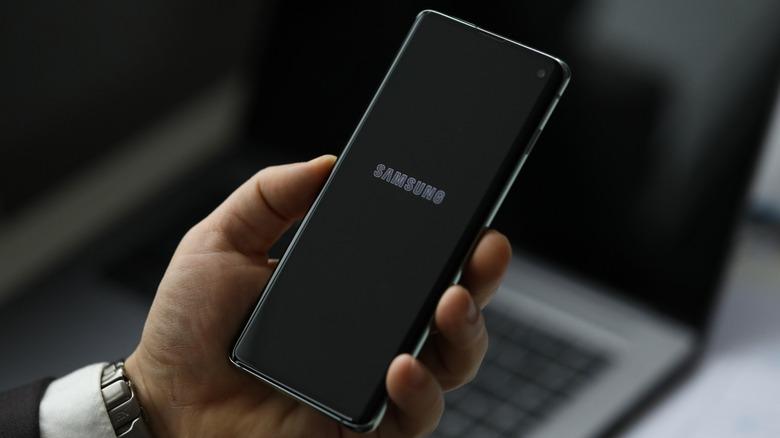
Upgrading to a new smartphone is exciting, but the device you replace should not be left forgotten in a drawer. Your old phone may still have financial value, useful features, and reusable parts. If you plan to sell old samsung phone, preparing it carefully can protect your personal information and help you receive a fair valuation. From transferring data to checking its condition, a few thoughtful steps will help you choose the most practical and responsible option after an upgrade.
Complete the Setup of Your New Phone First
Do not erase the old device immediately. Keep it until you have confirmed that contacts, photographs, messages, documents, and application data are available on the new phone. Open each essential app because some require a fresh login or separate transfer.
Pay special attention to banking apps, password managers, work accounts, and authentication applications. Move security-code accounts correctly and save recovery codes before removing access. Also confirm that your SIM or eSIM works on the new phone.
Decide Whether to Sell, Reuse, Donate, or Recycle
The right option depends on the phone’s age, condition, software support, and your personal needs. A functional device with a good display and battery may retain meaningful resale value. An older but reliable model could become a backup phone, while a damaged or unsupported device may be better suited to responsible recycling.
You might sell it, keep it as an emergency phone, repurpose it for media or navigation, give it to a family member, donate it, or recycle it. Do not decide from appearance alone: a scratched phone may work perfectly, while a clean device may have battery or connectivity faults.
Check Its Physical and Functional Condition
Before requesting a valuation, inspect the phone honestly. Start with the screen and body. Look for cracks, deep scratches, dead pixels, discolouration, dents, loose panels, and damaged camera glass. Remove the case temporarily because it may hide wear around the frame.
Test the following important functions:
-
Power and volume buttons
-
Touchscreen response and display brightness
-
Front and rear cameras
-
Speaker, microphone, and vibration
-
Charging port and wireless charging
-
Wi-Fi, Bluetooth, mobile network, and GPS
-
Fingerprint or facial recognition
-
SIM and memory-card slots
Rapid power loss, overheating, swelling, or unexpected shutdowns can lower value and may signal a safety concern. Do not charge a device with a swollen battery; arrange professional handling.
When you sell samsung phone, describe faults and cosmetic damage accurately. An honest description creates realistic expectations and reduces the likelihood of a valuation changing after physical inspection.
Gather the Details and Accessories
Record the exact model, storage capacity, colour, serial number, and device identification number. Similar-looking models may have different specifications and resale values, so accurate information is important.
Look for the original box, purchase invoice, charging cable, adapter, and repair records. Confirm which items are required before sending them. Including an accessory does not always increase the value, so avoid sending personal cases, memory cards, or unrelated cables unnecessarily.
Clean the switched-off phone gently with a soft, lint-free cloth. Never apply liquid directly to the device or insert metal objects into the charging port, speaker openings, or other gaps.
Compare the Value Before Deciding
The value of a used smartphone depends on its model, storage, age, physical condition, battery performance, repair history, software support, and current demand. Check the exact variant because similar-looking versions can receive different valuations.
If you want to sell samsung phone, request a valuation while the device is still functional and relevant. Smartphone values generally change as devices age and newer models become available. Leaving an unused phone stored for a long period may reduce both its usefulness and resale potential.
Read the inspection terms carefully. Check whether the initial amount is an estimate, which defects could affect it, and how collection and payment work. Take clear photographs of the screen, back, sides, and working display before handover. These images provide a useful record of the phone’s condition.
Protect Your Personal Information
Privacy preparation is one of the most important steps. Deleting photographs or uninstalling applications individually is not enough. First, confirm that your backup and data transfer are complete.
Next, sign out of personal accounts, remove saved payment cards, disconnect wearable devices, and disable any device-finding or activation-lock features connected to your account. Remove the physical SIM card and memory card as well. A memory card may contain photographs, documents, and downloaded files even after the phone has been reset.
Once everything has been transferred and verified, use the factory-reset option in the phone’s settings. Allow the device to restart and check that it displays the initial setup screen without requesting your previous account credentials.
Never give another person your account password to remove a device lock. If you plan to sell old samsung phone, complete all privacy checks before collection or delivery instead of depending on the recipient to erase your information.
Repurpose or Recycle It Responsibly
If resale is not worthwhile but the phone still works, consider using it as:
-
A backup or emergency phone
-
A music or video player
-
A navigation screen
-
An alarm clock
-
A digital photo frame
-
A home remote
-
A video-calling device
Keep available security updates installed and avoid using sensitive accounts if the phone no longer receives security patches. Stop using it if the battery swells, charging becomes unreliable, or the device overheats frequently.
A phone that is unsafe or beyond practical repair should be taken to an authorised electronic-waste channel rather than placed in household rubbish. Remove the SIM and memory card when it is safe to do so. If the device cannot be reset, ask how inaccessible data is managed before handing it over. Never attempt to dismantle a swollen or damaged battery yourself.
Conclusion
An old Samsung phone can still provide value after an upgrade, whether through resale, reuse, donation, or responsible recycling. Begin by completing your data transfer, testing the device, recording its details, and selecting an option suited to its condition. Before handing it over, remove your accounts, cards, locks, and personal information carefully. TradeBack can help you explore the resale value of an unused device once it has been prepared accurately and securely.
Frequently Asked Questions
How soon should I sell my old phone after upgrading?
Once your new phone is fully set up and your data has been verified, it is sensible to assess the old device promptly. Waiting may reduce its resale potential as it ages, but privacy and data-transfer checks should always come first.
Should I repair a damaged phone before selling it?
Compare the cost of repair with the likely increase in the phone’s value. A small and affordable repair may improve usability, but an expensive display or internal repair may not be financially worthwhile. Always disclose previous repairs accurately.
Is a factory reset enough before handing over the phone?
A factory reset is essential, but it should be the final step. First, back up your files, transfer authentication tools, sign out of accounts, disable device-finding features, remove payment cards, and take out the SIM and memory card.

 English
 Arabic
 French
 Spanish
 Portuguese
 Deutsch
 Turkish
 Italiano
 Russian
 Romaian
 Portuguese (Brazil)
 Greek
Greek
