


PC Bottleneck Calculator: Understanding System Performance and Hardware Compatibility
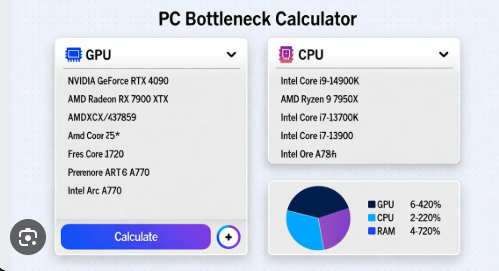
A PC bottleneck calculator is a tool that helps users determine whether one computer component is limiting the performance of another. It is commonly used by gamers, content creators, and PC enthusiasts who want to build balanced systems or upgrade existing hardware. By analyzing components such as the processor (CPU), graphics card (GPU), memory (RAM), and display resolution, a PC bottleneck calculator provides an estimate of how efficiently the parts of a computer work together.
Modern computers consist of multiple components that perform different tasks. For a system to deliver smooth and efficient performance, these components should be properly matched. If one part is significantly weaker than the others, it can reduce the overall performance of the computer. This performance limitation is known as a bottleneck.
What Is a PC Bottleneck?
A bottleneck occurs when one hardware component restricts the performance of another component. The concept is similar to traffic congestion on a narrow road. Even if many cars are capable of moving quickly, the narrow section slows everything down. In a computer, the slowest component often determines the overall performance of the system.
For example, installing a powerful graphics card with an old processor may not produce the expected gaming results. The processor might not be able to process game data fast enough, causing the graphics card to remain underutilized. On the other hand, pairing a high-end processor with an entry-level graphics card can lead to a situation where the GPU becomes the limiting factor.
A PC bottleneck calculator helps users identify these imbalances before purchasing or upgrading hardware.
How Does a PC Bottleneck Calculator Work?
A PC bottleneck calculator analyzes the specifications of different hardware components and compares their expected performance levels. Users typically select their CPU, GPU, amount of RAM, and sometimes their screen resolution or intended use.
The calculator then estimates whether one component is likely to limit another. Some tools provide a percentage value, while others categorize the system as balanced, slightly bottlenecked, or heavily bottlenecked.
These calculations are based on general performance comparisons rather than exact measurements. Actual performance depends on software optimization, drivers, cooling, operating system settings, and the applications being used. Therefore, a PC bottleneck calculator should be viewed as a guide rather than an absolute source of information.
CPU Bottleneck Explained
A CPU bottleneck occurs when the processor cannot keep up with the workload generated by the graphics card or software applications. This is particularly common in games and programs that rely heavily on processing power.
Examples of CPU-intensive tasks include:
-
Real-time strategy games
-
Simulation games
-
Video editing
-
3D rendering
-
Large multiplayer games
-
Programming and compiling software
Symptoms of a CPU bottleneck may include low frame rates, inconsistent performance, stuttering, and reduced GPU utilization. Upgrading to a faster processor can often improve system performance in such situations.
GPU Bottleneck Explained
A GPU bottleneck happens when the graphics card is unable to render graphics quickly enough to match the processor’s capabilities. This usually occurs when playing games at high resolutions or using demanding graphical settings.
Signs of a GPU bottleneck include:
-
Low frame rates
-
High GPU usage
-
Reduced performance at higher resolutions
-
Longer rendering times in creative applications
Unlike CPU bottlenecks, GPU bottlenecks are common in gaming systems and are often expected, especially when aiming for maximum visual quality.
The Importance of RAM in Bottleneck Calculations
Memory also plays an important role in system performance. Insufficient RAM can create additional bottlenecks, even when the CPU and GPU are well balanced.
Modern applications and games require adequate memory to run smoothly. If a computer lacks enough RAM, it may rely on slower storage devices, causing delays and reduced performance.
A PC bottleneck calculator may consider:
-
Total RAM capacity
-
Memory speed
-
Memory configuration
-
Application requirements
Upgrading RAM can improve multitasking, gaming, and productivity performance in many cases.
Why Screen Resolution Matters
Resolution significantly affects the balance between the CPU and GPU.
At lower resolutions, the graphics card has less work to do, making the processor more important. This can lead to CPU bottlenecks in systems with very powerful GPUs.
At higher resolutions, such as 1440p or 4K, the graphics card handles more rendering tasks, making GPU performance the primary factor.
This means that the same hardware combination may produce different bottleneck results depending on the monitor resolution and graphics settings being used.
Benefits of Using a PC Bottleneck Calculator
A PC bottleneck calculator offers several advantages:
Better Upgrade Decisions
Users can determine whether upgrading a processor, graphics card, or memory will provide meaningful performance improvements.
Balanced PC Builds
The tool helps create systems where components complement each other rather than causing performance limitations.
Cost Efficiency
Avoiding unnecessary upgrades saves money by preventing overspending on hardware that may not provide noticeable benefits.
Improved Performance Planning
Gamers and professionals can estimate whether their systems are suitable for specific applications or workloads.
Are Bottleneck Calculators Completely Accurate?
No bottleneck calculator can predict performance with complete accuracy because every application uses hardware differently.
Factors affecting real-world performance include:
-
Software optimization
-
Driver updates
-
Background applications
-
Cooling efficiency
-
Overclocking
-
Storage speed
-
Game engines
-
Operating system settings
For this reason, bottleneck percentages should be viewed as estimates rather than exact values.
Tips for Avoiding PC Bottlenecks
To build a balanced system, consider the following recommendations:
-
Match CPU performance with GPU capability.
-
Install sufficient RAM for your tasks.
-
Choose storage devices that provide fast loading times.
-
Consider your monitor resolution and refresh rate.
-
Plan upgrades according to your usage needs.
-
Research application requirements before purchasing components.
A balanced computer does not necessarily eliminate all bottlenecks. Instead, it ensures that hardware components work together efficiently for the intended tasks.
Conclusion
A PC bottleneck calculator is a valuable tool for gamers, creators, and computer enthusiasts who want to understand hardware compatibility and performance. By identifying potential limitations between the CPU, GPU, RAM, and display resolution, users can make more informed decisions when building or upgrading a computer.
Although bottleneck calculators provide estimates rather than exact measurements, they remain useful for planning balanced systems and avoiding unnecessary expenses. Understanding how bottlenecks work allows users to optimize performance, improve efficiency, and create a PC that meets their specific needs.
In the end, the goal is not to eliminate every bottleneck but to design a system where all components work together effectively, delivering the best possible experience for gaming, productivity, and everyday computing.

 English
 Arabic
 Spanish
 Portuguese
 Deutsch
 Turkish
 Dutch
Dutch
 Italiano
 Russian
 Romaian
 Portuguese (Brazil)
 Greek
Greek
