


How to Choose the Right POS System to Solve Everyday Business Challenges
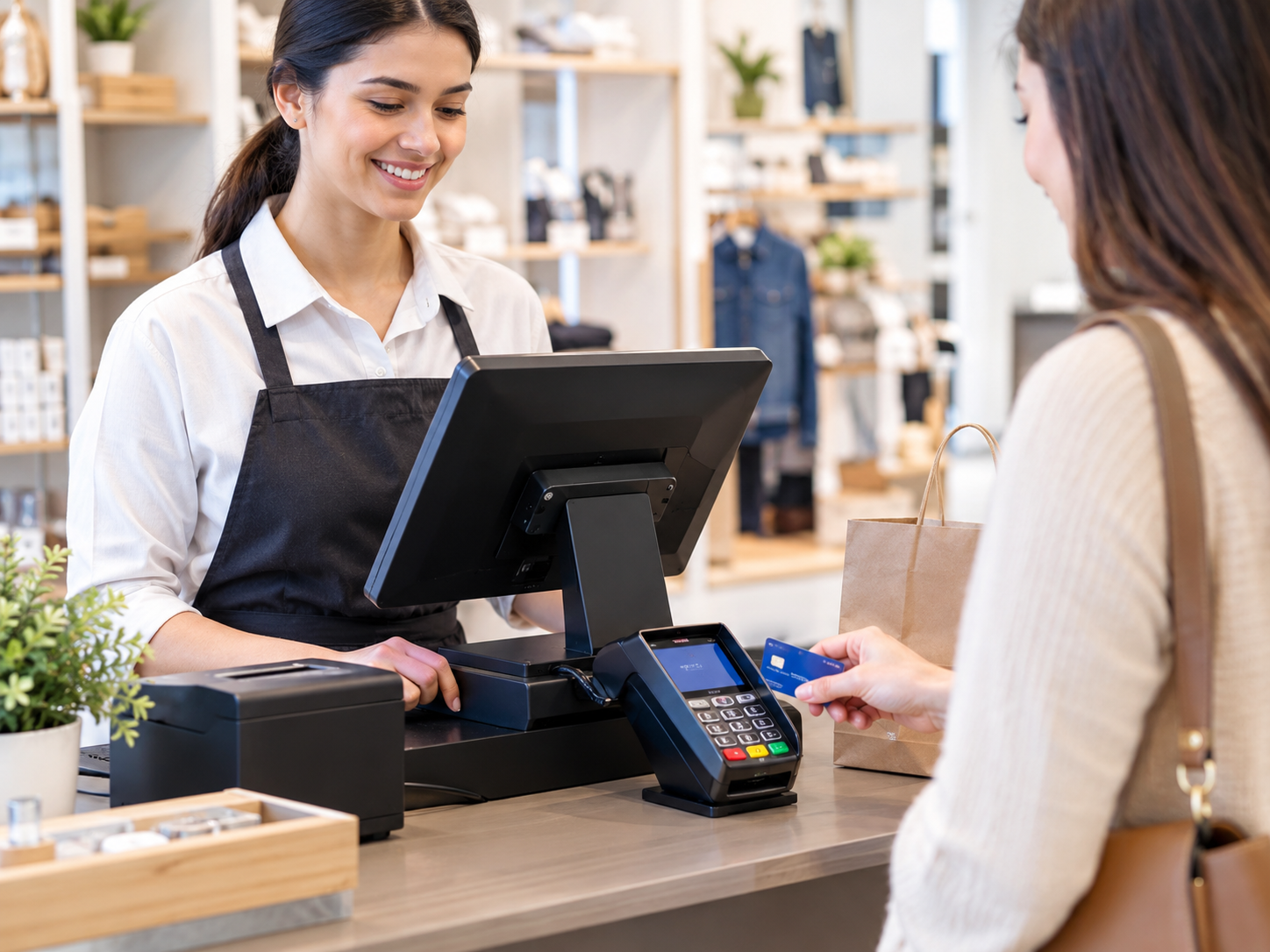
Running a business involves more than selling products or services. Business owners must process payments, track sales, manage inventory, monitor transactions, and provide a smooth checkout experience. When these tasks depend on separate tools or manual records, mistakes can happen, customers may face delays, and important business information can become difficult to manage.
A POS system can bring many of these activities together in one place. However, choosing the wrong solution may create unnecessary expenses, complicated workflows, or payment processing problems. Understanding which features your business actually needs can help you make a better decision.
Whether you operate a retail store, restaurant, service business, or growing online shop, the right POS solution can simplify daily operations and make business management more efficient.
What Is a POS System and How Does It Work?
A POS system is a combination of hardware and software used to complete sales transactions and manage related business activities. Depending on the solution, it may include a touchscreen terminal, card reader, receipt printer, barcode scanner, cash drawer, and cloud-based software.
When a customer purchases something, the system records the items or services, calculates the total, accepts the payment, and generates a receipt. More advanced systems can also update inventory, organize sales records, and provide reports.
For example, a clothing store can use a retail POS system to scan products, accept card payments, and automatically adjust stock levels after a purchase. The owner can then review sales reports to identify popular products and understand when inventory needs replenishment.
The exact features depend on the provider and software package, so it is important to compare solutions before making a commitment.
Common Business Problems a POS System Can Help Solve
1. Slow Checkout and Long Customer Queues
Manual calculations and outdated payment equipment can slow down checkout, particularly during busy hours. A modern POS terminal can combine product selection, pricing, tax calculations, and payment processing in one workflow.
Look for a system that supports the payment methods your customers commonly use, such as contactless cards, chip cards, and supported mobile wallets. An easy-to-use interface can also help employees complete transactions with fewer errors.
Before purchasing, test the checkout process and consider how quickly new staff members can learn to use it.
2. Inventory Records That Are Difficult to Maintain
Tracking products with spreadsheets or handwritten notes can become challenging as a business grows. Stock counts may become inaccurate when sales, returns, and restocking are not recorded consistently.
A POS system with inventory management features can update stock quantities as transactions occur. Depending on the software, it may also support low-stock alerts, product variations, supplier records, and inventory reports.
These features can help business owners identify products that sell quickly and reduce the risk of ordering items they already have in sufficient quantities.
If inventory accuracy is a major concern, prioritize these tools over advanced features that your business may not need.
3. Confusing Payment Records and Transaction Fees
Accepting card payments involves more than having a card reader. Businesses must understand processing costs, settlement timelines, refunds, chargebacks, and transaction records.
A POS solution connected to a suitable payment processing service can make it easier to review sales and reconcile payments. However, the software and payment provider may be separate companies, so confirm how the systems work together.
Ask for a clear explanation of transaction fees, monthly charges, equipment costs, contract terms, and any additional service fees. Comparing the total cost of ownership is more useful than choosing a provider based only on its advertised processing rate.
4. Limited Insight Into Business Performance
Knowing the total money received each day does not always explain how a business is performing. Owners may also need to understand which products sell best, when customer demand increases, and how returns affect revenue.
Sales reporting tools can organize transaction data into useful summaries. Depending on the system, reports may cover daily sales, product performance, employee activity, discounts, refunds, and payment methods.
Reviewing these figures regularly can help you make more informed decisions about staffing, promotions, purchasing, and operating hours.
How to Choose the Right POS System for Your Business
Not every business requires the same equipment or software. A small service provider may need a simple terminal and digital receipts, while a busy retail store may require barcode scanning and detailed inventory controls.
Consider these factors before choosing a solution.
Identify Your Essential Features
Start by listing the problems you want the system to solve. These might include slow checkout, inaccurate inventory, limited reporting, or difficulty managing multiple locations.
Separate essential features from optional ones. This makes it easier to compare providers without paying for tools you will rarely use.
Check Payment Compatibility
Confirm that the POS system supports your preferred payment methods and works with your chosen payment processor. Ask whether the terminal accepts chip cards, contactless payments, and mobile wallets where supported.
If you operate both online and in person, investigate whether the system can synchronize sales and inventory across your sales channels.
Evaluate Security and Reliability
Payment security should be a central consideration when selecting business technology. Look for providers that explain their security practices, support appropriate payment card industry requirements, and offer secure software updates.
Ask how the system handles internet interruptions. Some solutions offer offline transaction features, but availability and limitations vary. Understand whether payments can be accepted during an outage, how transactions are stored, and when they are processed.
Also check backup procedures, account permissions, and the ability to restrict sensitive functions to authorized employees.
Consider Ease of Use and Customer Support
Even a feature-rich system can cause problems if employees find it difficult to operate. Request a demonstration and test common tasks such as processing a sale, issuing a refund, changing product prices, and closing the register.
Find out whether technical support is available during your business hours and whether assistance is offered by phone, email, or live chat.
Reliable support becomes especially important when payment equipment stops working during a busy period.
Why Your Merchant Service Provider Matters
A merchant service provider helps businesses accept and process electronic payments. Depending on the arrangement, it may provide merchant account services, payment processing, card terminals, and related support.
Your POS system and merchant service provider should work together reliably. Compatibility can affect transaction processing, reporting, equipment options, and the overall checkout experience.
Before signing an agreement, ask the provider:
-
Which POS terminals and software platforms are supported?
-
What are the processing rates and additional fees?
-
Are there installation, equipment rental, or cancellation charges?
-
How long does it typically take for funds to reach the business bank account?
-
What support is available if a transaction fails?
-
Can the solution grow with additional terminals or business locations?
Get important pricing and contract details in writing. A provider that explains its services clearly can make it easier to understand your payment setup and avoid unexpected costs.
Understand the Total Cost Before Buying
The advertised price of a POS system may not represent its full operating cost. Hardware, software subscriptions, payment processing, installation, integrations, and support can all affect your budget.
Prepare a realistic estimate that includes both initial and recurring expenses. Compare at least two or three suitable options using the same expected transaction volume and business requirements.
A lower-cost system may be sufficient for a small business with straightforward needs. A more advanced solution may offer better value for a larger operation that depends on detailed reporting, integrated inventory, and multiple checkout stations.
The goal is to choose a system that solves real operational problems without creating unnecessary complexity.
When Should You Upgrade Your Existing POS System?
Your current system may no longer meet your needs if checkout errors are increasing, inventory records are unreliable, reports require extensive manual work, or payment equipment frequently causes delays.
Other warning signs include limited integration options, poor technical support, and difficulty adding new locations or employees.
Before replacing the entire setup, identify the source of the problem. A software update, compatible card reader, or improved payment service may be enough in some cases. If the existing platform lacks essential capabilities, compare replacement options and plan the transition carefully.
Check whether customer records, inventory data, product lists, and historical sales reports can be transferred to the new system. Schedule installation and staff training to reduce disruption.
Final Thoughts
Choosing a POS system is about more than purchasing a card terminal. The right solution can help a business manage transactions, maintain inventory records, understand sales performance, and create a smoother checkout experience.
Start by identifying your biggest operational challenges, then compare features, payment compatibility, security, support, and total costs. Speak with a qualified merchant service provider to understand how payment processing will work with your chosen platform.
A practical, reliable POS setup should meet your current needs while giving your business room to grow. By focusing on useful features instead of unnecessary extras, you can make a more informed investment in your day-to-day operations.

 English
 Arabic
 French
 Portuguese
 Deutsch
 Turkish
 Dutch
Dutch
 Italiano
 Russian
 Romaian
 Portuguese (Brazil)
 Greek
Greek
