


How Smart Security Systems Help Protect Your Business and Improve Connectivity
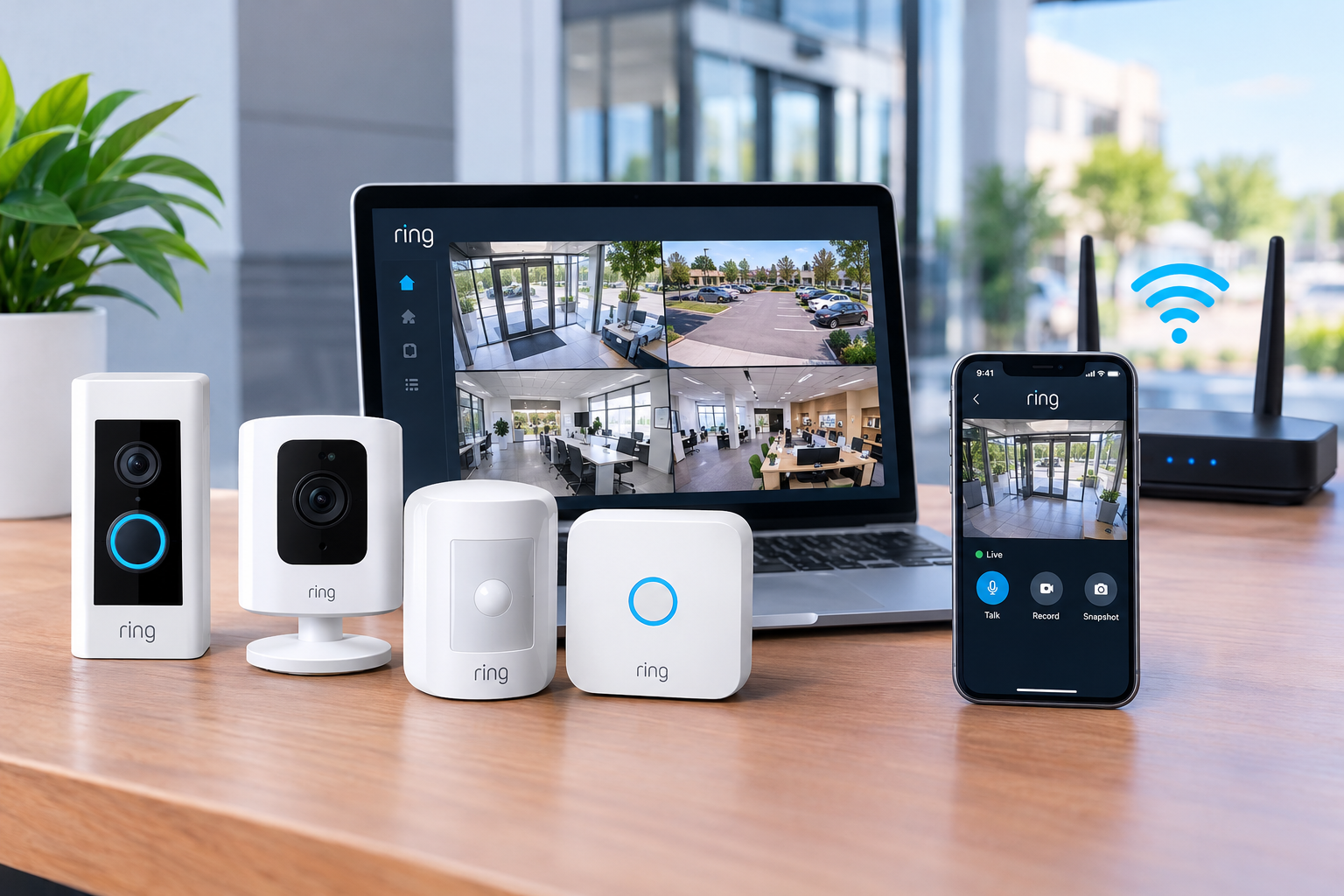
Protecting a business involves more than locking doors and installing traditional alarms. Business owners need reliable ways to monitor their properties, identify unusual activity, and stay informed when they are away. Ring Security offers smart security solutions that can help businesses improve visibility around their premises through connected cameras, video doorbells, motion alerts, and compatible security devices.
Whether you manage a small office, retail store, warehouse, or commercial property, a connected security system can make daily operations easier and provide additional peace of mind. However, getting the best results requires more than choosing the right devices. A stable internet connection and effective business networking are also important for dependable performance.
Understanding how these technologies work together can help you make informed decisions about protecting your workplace, employees, equipment, and property.
What Is Ring Security and How Does It Work?
Ring Security refers to smart security products and services from Ring that help users monitor properties and receive notifications through connected devices. Depending on the selected products and subscription features, businesses can use security cameras, video doorbells, motion detection, and other compatible devices to monitor important areas.
These devices generally connect through a wireless network and allow authorized users to view available camera footage, receive alerts, and manage supported settings through the Ring app.
For example, a business owner can receive a notification when a compatible camera detects motion near an entrance. The owner can then check the available video feed and decide whether further action is necessary.
The exact features depend on the device, configuration, internet connection, and any applicable subscription plan. Ring products can support everyday security monitoring, but they should not automatically be considered a replacement for professional alarm monitoring or other required commercial security measures.
Key Benefits of Ring Security for Businesses
1. Monitor Important Areas Remotely
One of the main advantages of a smart security system is the ability to check your property without being physically present. Business owners can use compatible cameras to monitor entrances, reception areas, loading zones, and other appropriate locations.
Remote access is particularly useful for businesses with multiple operating locations or owners who frequently travel. Instead of relying entirely on occasional physical checks, authorized users can review available camera views when needed.
2. Receive Motion Detection Alerts
Motion alerts help business owners become aware of activity around selected areas. Depending on the device and settings, notifications may identify movement near doors, windows, or other monitored locations.
To make these alerts more useful, configure motion zones and notification preferences where supported. This can reduce unnecessary notifications caused by routine activity, passing traffic, or movement outside the areas you want to monitor.
3. Improve Visibility Around Entrances
Entry points are important areas to monitor because they are used by employees, customers, suppliers, and visitors. A compatible Ring video doorbell or security camera can help users see who is approaching and review available footage.
Businesses can use this information to improve awareness of deliveries, after-hours visits, and unexpected activity. Camera placement should respect customer privacy and applicable workplace surveillance laws.
4. Support Better Security Awareness
Smart cameras can help businesses identify potential security concerns earlier. For example, a store manager may notice repeated activity near a back entrance outside normal operating hours.
While cameras cannot prevent every incident, recorded footage and timely notifications can support incident reviews and help business owners make better security decisions.
Why Business Networking Matters for Ring Security
A smart security system depends on a reliable connection between its devices, the internet, and authorized users. This makes business networking an important part of an effective security setup.
A poorly configured network can lead to delayed notifications, interrupted video streams, connectivity problems, or difficulty accessing cameras remotely.
Businesses should consider the following networking factors when installing connected security equipment.
Reliable Wi-Fi Coverage
Security devices need an adequate wireless signal where they are installed. Thick walls, metal shelving, large buildings, and long distances from the router can weaken Wi-Fi coverage.
Before installing cameras, test the wireless signal at each planned location. Depending on the building layout, a suitable access point or professionally designed wireless network may help improve connectivity.
Sufficient Internet Bandwidth
Video devices use internet bandwidth when transmitting live video, uploading supported recordings, and communicating with cloud services. If multiple cameras share a connection with video meetings, cloud applications, and other business systems, network congestion may affect performance.
Choose an internet plan that fits your total business usage rather than considering security cameras in isolation. Actual bandwidth requirements depend on the number of devices, video settings, and other network activity.
Secure Network Configuration
Connected security devices should be part of a carefully managed network. Use strong, unique passwords, enable multifactor authentication where available, and keep device firmware and networking equipment updated.
Where practical, businesses can use a separate network or VLAN for compatible security devices. Proper network segmentation can help limit unnecessary communication between cameras and sensitive business systems. Configuration should be handled by someone familiar with the company's networking equipment.
Common Ring Security Problems and How to Solve Them
Even a well-designed security system may experience occasional connectivity or setup problems. Understanding the most common issues can save time and help maintain reliable monitoring.
Problem: Cameras Frequently Disconnect
Frequent disconnections may result from weak Wi-Fi coverage, router problems, interference, or an unstable internet connection.
Solution: Check the device's connection status, test Wi-Fi strength at its location, and restart the relevant networking equipment if necessary. If the problem continues, consider improving access point placement or consulting a networking professional.
Problem: Motion Alerts Are Too Frequent
Excessive notifications can make it difficult to identify important activity. Outdoor movement, changing light conditions, and busy entrances may contribute to unwanted alerts.
Solution: Review motion zones, detection settings, and notification preferences available for your device. Adjust them to focus on the areas that matter most to your business.
Problem: Live Video Loads Slowly
Slow video loading can occur when the wireless signal is weak or the internet connection is under heavy demand.
Solution: Test the connection, review bandwidth usage, and check whether other devices are consuming significant network resources. Improving Wi-Fi coverage or upgrading an unsuitable internet connection may help.
Problem: Security Settings Are Difficult to Manage
Businesses may struggle when several employees need access to security footage or device settings.
Solution: Establish clear access permissions and use supported shared-access features where appropriate. Give each authorized user their own account instead of sharing one password among employees.
How to Choose the Right Ring Security Setup
The best setup depends on the size, layout, operating hours, and security requirements of your business.
Start by identifying vulnerable areas, such as main entrances, rear doors, delivery points, and equipment storage areas. Select compatible devices that address those needs instead of purchasing unnecessary equipment.
Next, evaluate your existing internet service and business networking infrastructure. Confirm that the network provides adequate coverage and bandwidth in every planned camera location.
Finally, review recording options, subscription requirements, privacy obligations, and access controls before finalizing your installation. Businesses that require immediate emergency response, certified intrusion detection, or specialized commercial surveillance should evaluate whether additional professional security systems are necessary.
Best Practices for Maintaining Ring Security
Regular maintenance helps keep connected security devices useful over time.
-
Test cameras regularly: Confirm that each device is online and providing the expected view.
-
Review alerts: Adjust detection settings when business operations or surrounding conditions change.
-
Update software: Install available firmware and app updates to maintain supported functionality and security improvements.
-
Protect account access: Use strong passwords and multifactor authentication where supported.
-
Check network performance: Investigate recurring connection issues before they affect important monitoring functions.
-
Review privacy requirements: Inform employees and visitors about surveillance where required and avoid recording private areas.
-
Prepare for outages: Understand how your devices behave during internet or power interruptions and consider appropriate backup options.
These steps can help businesses maintain a more consistent security setup while reducing avoidable technical problems.
Conclusion
Ring Security can help businesses improve property visibility, monitor important entry points, and receive useful activity notifications through connected security devices. However, the effectiveness of any smart security system depends on selecting suitable equipment, configuring appropriate settings, and maintaining a reliable internet connection.
By combining compatible Ring devices with well-planned business networking, secure account practices, and regular maintenance, business owners can create a more dependable approach to everyday security monitoring.
The most effective solution is one that addresses your property's specific risks, fits your operational needs, and works reliably with your existing technology infrastructure.
Frequently Asked Questions
Is Ring Security suitable for small businesses?
Ring devices may be suitable for small offices, shops, and other businesses that need connected cameras, video doorbells, or remote monitoring. Suitability depends on the property's risks and whether additional commercial security features are required.
Does Ring Security require an internet connection?
Most connected Ring security features rely on internet access for remote viewing, notifications, and cloud-connected services. Some device functions may behave differently during an outage, so check the documentation for your specific model.
Can business networking improve Ring camera performance?
Yes. Reliable Wi-Fi coverage, adequate bandwidth, appropriate router configuration, and secure network management can help improve connectivity and reduce interruptions.
Do businesses need a Ring subscription?
Some Ring features, including certain video recording and storage capabilities, may require an eligible subscription. Available features and plan terms can vary by device and location, so verify the current requirements before purchasing.
How can businesses improve the security of connected cameras?
Use strong passwords, enable multifactor authentication where available, install updates, limit account access to authorized users, and maintain a secure network configuration. Regularly review camera placement and privacy practices as well.

 English
 Arabic
 French
 Portuguese
 Deutsch
 Turkish
 Dutch
Dutch
 Italiano
 Russian
 Romaian
 Portuguese (Brazil)
 Greek
Greek
