


Protecting Critical Patient Records: How Reliable Data Recovery Helps Dental Clinics Maintain Smooth and Secure Operations
Introduction: Why Accurate Digital Records Have Become Essential for Modern Dental Practices
Dental clinics depend on digital information to provide organized, efficient, and personalized patient care. From appointment schedules and treatment histories to digital X-rays, billing records, insurance documents, and clinical notes, a significant amount of daily work relies on computers and specialized practice management software. When these systems operate properly, dental professionals can access important information quickly and focus on delivering quality treatment. However, when files disappear, storage devices fail, or computer systems become inaccessible, even a well-managed clinic can experience unexpected interruptions.
Losing access to patient information can create scheduling difficulties, delay treatment decisions, complicate insurance processing, and increase administrative pressure on employees. A technical problem that begins with one workstation or storage device may affect several departments if important records are stored on shared systems. Understanding how data loss happens and what recovery options are available helps dental practices prepare for unexpected technical challenges while protecting the information their patients trust them to manage.
Understanding the Common Technical Problems That Can Make Dental Records Inaccessible
Dental practices use a combination of desktop computers, network storage devices, imaging systems, external drives, and cloud-connected applications. Each technology has its own potential weaknesses, and a failure in one part of the system may prevent employees from opening records that are essential for their work. A computer that suddenly shuts down, a storage drive that begins making unusual noises, or a database that displays repeated error messages may indicate a problem that requires professional attention.
Hardware deterioration is one possible cause of data loss. Hard drives contain moving components that can wear out over time, while solid-state drives can also develop electronic or storage-related faults. Power interruptions, overheating, accidental drops, and damaged cables may further complicate access to stored information. In other situations, employees may unintentionally delete folders, overwrite important documents, or format a drive while attempting to resolve an unrelated computer problem.
Software issues can be equally disruptive. An interrupted update, a corrupted database, incompatible applications, or an operating system failure may prevent a dental office from opening its files even when the storage device remains physically functional. Identifying the actual cause is important because different failures require different recovery methods. Repeatedly restarting a malfunctioning device or experimenting with unfamiliar repair utilities may make some situations worse, particularly when the original data has not been safely preserved.
How Missing Digital X-Rays and Treatment Histories Can Disrupt Everyday Patient Care
Digital dental imaging provides valuable information for examinations, treatment planning, and monitoring changes over time. When image files become inaccessible, clinicians may lose convenient access to earlier scans that help them compare a patient's condition across appointments. Missing treatment notes and medical histories can also make it harder for staff to review previous procedures, confirm documented recommendations, or prepare accurate follow-up visits.
These interruptions can affect the entire patient experience. Reception teams may need additional time to verify appointments, billing personnel may struggle to locate supporting documentation, and dental professionals may have to postpone certain administrative tasks until the records become available again. Even if the clinic continues treating patients, the loss of access to historical information can create unnecessary pressure across the practice.
A well-organized recovery plan helps reduce confusion during these situations. Clinics should identify which systems contain their most important records, determine whether current backups are available, and establish a process for reporting missing files. Employees should avoid creating multiple unverified copies of damaged databases or saving replacement files over the original storage location. Preserving the existing information can provide recovery specialists with a better opportunity to investigate the problem and retrieve usable records.
Choosing Professional Data Recovery Support When Routine Troubleshooting Is No Longer Enough
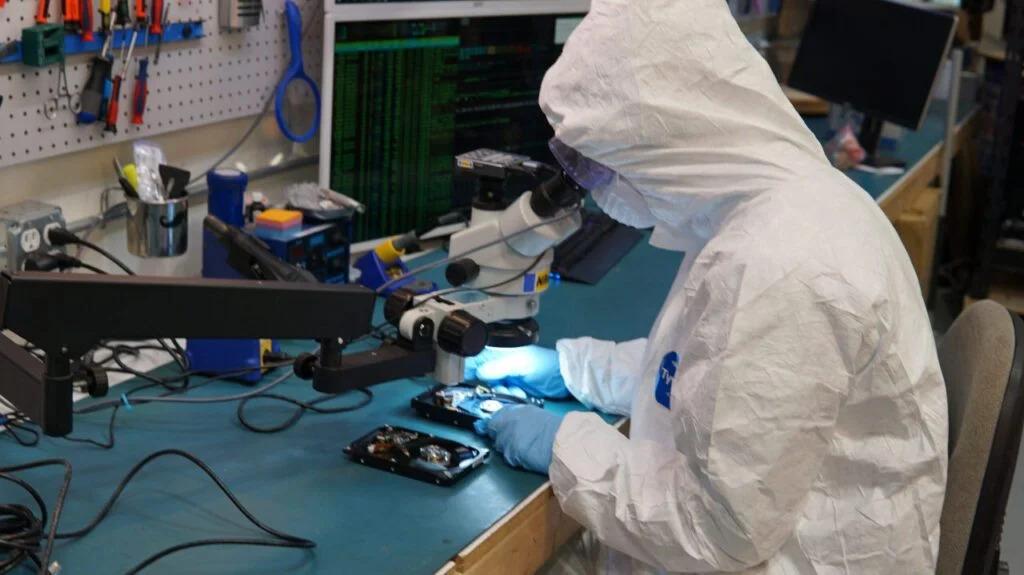
When essential business files cannot be accessed through normal procedures, professional assistance may be appropriate. A recovery specialist can assess the storage device, investigate possible causes of failure, and determine whether the information can be retrieved using suitable techniques. The process may involve logical recovery for deleted or corrupted files, specialized procedures for damaged storage hardware, or database-focused work when applications cannot interpret existing records correctly.
Dental clinics looking for dependable technical assistance can explore data recovery san antonio when they need information about recovery services for inaccessible business data. Before selecting a provider, clinic administrators should explain the type of device involved, the symptoms observed, the approximate time the problem began, and whether any recovery attempts have already been performed. These details help establish a clearer starting point for evaluating the situation.
Professional recovery does not guarantee that every file can be restored. The outcome depends on factors such as the nature of the damage, the condition of the storage medium, and whether information has been overwritten. A responsible provider should explain the assessment process, discuss realistic expectations, and clarify how recovered files will be returned. For healthcare businesses, confidentiality and secure handling procedures should also be part of the conversation.
Protecting Confidential Patient Information Throughout the Recovery and Restoration Process
Dental records often contain sensitive personal and clinical information, which means recovering lost files requires careful attention to privacy. A clinic should understand who will handle its storage devices, how information will be transferred, where recovered files will be stored, and what safeguards will be used during the process. Access should be limited to authorized personnel, and recovered information should not be copied to unapproved personal computers or unsecured portable drives.
It is also important to distinguish between restoring access to files and confirming that the recovered information is safe to use. Files may need to be checked for completeness, readability, and consistency before they are returned to the clinic's working environment. If a cybersecurity incident or suspicious file activity may have caused the problem, the practice should coordinate with appropriate IT and security professionals rather than immediately reconnecting affected devices to the main network.
Healthcare organizations should review their applicable privacy obligations and internal policies before sharing patient information with an outside service provider. Clear authorization procedures, appropriate confidentiality agreements, and secure transfer methods can help reduce unnecessary exposure. Keeping a record of the recovery process also helps administrators understand what happened and identify any additional safeguards that may be required.
Building a Practical Backup Strategy That Keeps Dental Office Information Available
A reliable backup strategy is one of the most effective ways to reduce the impact of unexpected data loss. Dental clinics should identify the information that would be difficult or expensive to recreate, including patient databases, digital images, treatment documentation, accounting records, and essential configuration files. These items should be included in a planned backup schedule that reflects how frequently information changes and how much recent work the clinic can afford to lose.
Using more than one backup location can provide an additional layer of protection. For example, a clinic may maintain a secure local backup while keeping another protected copy in a separate location or an appropriately configured cloud service. Separating backup systems from everyday workstations can help reduce the risk that one technical failure or security incident affects both the original files and their backups.
However, simply creating backups is not enough. Dental practices should periodically test whether the stored copies can actually be restored and whether the necessary passwords, encryption keys, and software dependencies remain available. A backup that cannot be opened when needed may offer little practical protection. Assigning a responsible employee or IT provider to review backup reports and investigate failures can make this process more dependable.
Preparing Dental Employees to Respond Correctly When Computers or Storage Devices Fail
Employees are often the first people to notice a technical problem, so clear instructions can make a meaningful difference. Staff members should know how to report missing records, who is responsible for contacting technical support, and which actions they should avoid while a device is malfunctioning. This reduces the likelihood of several employees attempting different repairs and unintentionally complicating the recovery process.
Training should cover common warning signs, including repeated application crashes, unexplained file changes, unusual storage-device sounds, and error messages that appear when opening clinical records. Workers should be encouraged to document what they observed and when the issue started. If a computer may be affected by malware or unauthorized access, employees should follow the clinic's security response procedures and seek guidance from the designated technical professional.
Dental practices can also prepare a simple continuity plan for temporary system outages. Depending on applicable privacy rules and clinic policies, this may include approved procedures for managing urgent appointments, recording essential operational details securely, and contacting patients when scheduling systems are unavailable. The goal is to maintain organized operations without creating additional risks for confidential information.
Evaluating Technology Investments That Improve Long-Term Record Reliability
As dental practices expand their services, their technology requirements often become more complex. A clinic may introduce additional imaging equipment, add treatment rooms, employ more staff, or connect new applications to its existing management system. These changes can increase the amount of information being stored and make it more important to review whether current hardware, backup capacity, and support arrangements remain suitable.
Regular maintenance can help identify developing problems before they cause a major interruption. Clinics should review storage capacity, operating system support, software compatibility, backup performance, and the condition of aging equipment. Replacing unreliable hardware at an appropriate time may be less disruptive than waiting until a device fails during a busy appointment schedule.
Technology decisions should also consider how easily information can be exported and restored. Administrators should understand the backup options offered by software vendors, the procedures required to retrieve records, and any limitations associated with proprietary databases. Keeping accurate documentation about system configurations and support contacts can save valuable time when an unexpected problem occurs.
Conclusion: Keeping Dental Practices Organized Through Better Data Protection and Recovery Planning
Digital records play an essential role in modern dental care, supporting clinical decisions, patient communication, billing, appointment management, and daily administration. When these records become unavailable, the resulting disruption can extend far beyond a single computer. Recognizing the warning signs of data loss, protecting confidential information, and responding carefully to technical failures can help dental practices manage these challenges more effectively.
A combination of tested backups, employee awareness, routine technology reviews, and access to qualified recovery professionals provides a stronger foundation for business continuity. Clinics should avoid risky do-it-yourself recovery attempts when important files are at stake and should prioritize preserving the original information until the problem has been properly assessed.
Preparing before a failure occurs gives dental teams greater confidence when unexpected interruptions arise. With a practical recovery plan and consistent attention to digital security, dental practices can protect valuable records, reduce avoidable downtime, and maintain more dependable operations for the patients who rely on their services.

 English
 Arabic
 French
 Spanish
 Deutsch
 Turkish
 Dutch
Dutch
 Italiano
 Russian
 Romaian
 Portuguese (Brazil)
 Greek
Greek
