


IPTV MAC Address: What It Is and Why Some Devices Use It
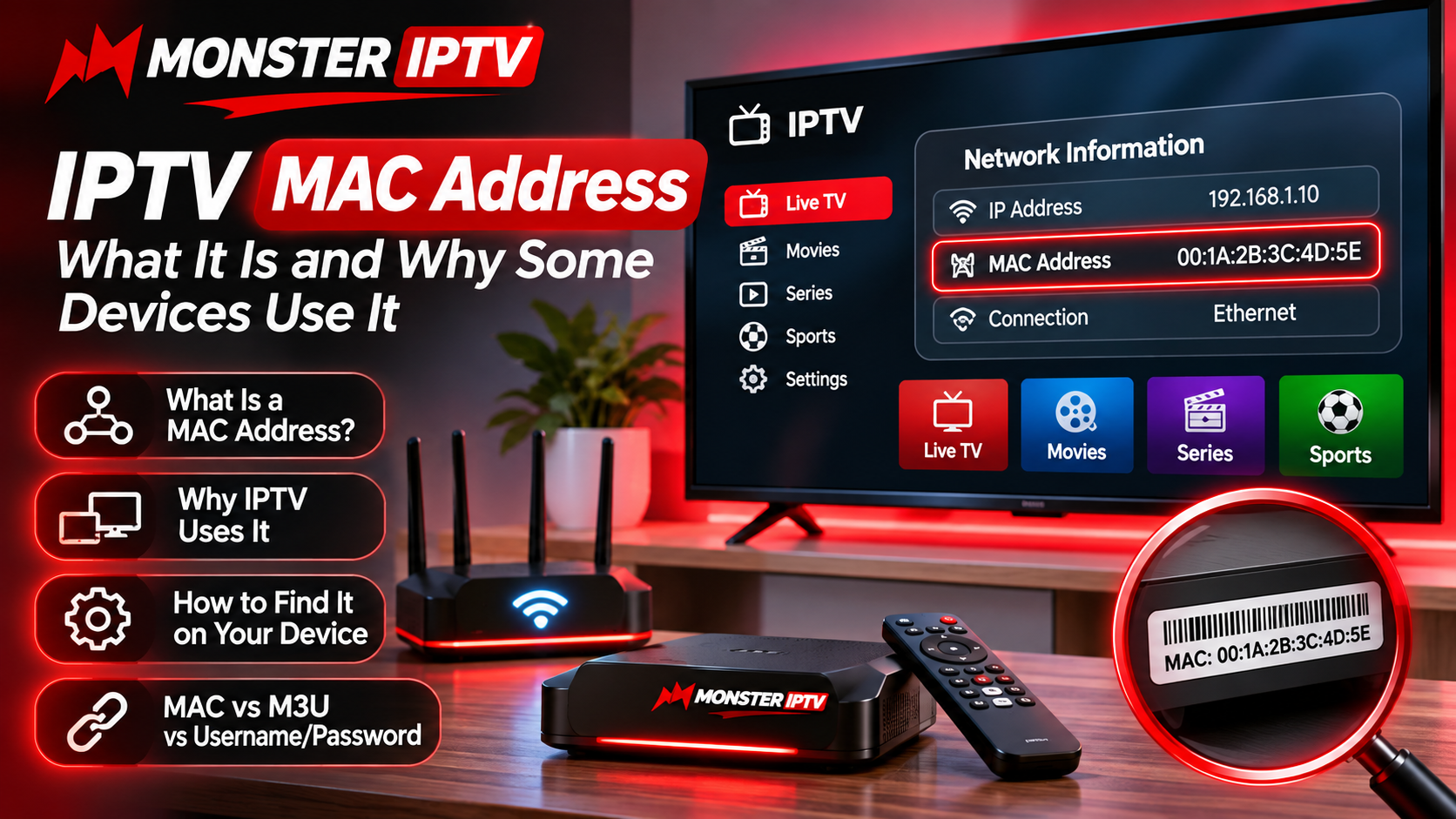
When setting up IPTV, users may occasionally be asked to provide a MAC address instead of a traditional username, password, or M3U playlist. This can be confusing, especially for people who are accustomed to signing into streaming applications with standard account credentials.
A MAC address is connected to a network-enabled device and can be used by certain IPTV systems to recognize authorized hardware. Understanding what it is, where to find it, and how it differs from other IPTV login methods can make device setup much easier.
What Is a MAC Address?
MAC stands for Media Access Control.
A MAC address is a hardware identifier associated with a network interface inside a device. Devices that connect through Wi-Fi or Ethernet commonly have one or more MAC addresses.
A MAC address often appears in a format similar to:
00:1A:2B:3C:4D:5E
The actual value is unique to the network interface.
It is different from an IP address, even though both are related to networking.
MAC Address vs IP Address
These two terms are sometimes confused.
MAC Address
A MAC address identifies a network interface associated with the device.
It generally remains associated with that hardware, although modern privacy features can sometimes use randomized addresses in certain situations.
IP Address
An IP address identifies a device or connection on a network.
It can change when:
-
The router restarts
-
The device reconnects
-
The internet provider assigns a new address
-
The user changes networks
For IPTV device registration, some systems use a MAC address because it provides a hardware-related identifier.
Why Do Some IPTV Systems Use MAC Addresses?
Some IPTV platforms use device-based authorization instead of traditional account logins.
In these setups, the IPTV service may register a specific device identifier.
When the device connects, the system checks whether the registered information matches.
This approach is commonly associated with:
-
IPTV set-top boxes
-
Portal-based IPTV systems
-
Certain Smart TV applications
-
Middleware-based players
The exact setup varies between services and applications.
What Is a Portal-Based IPTV Connection?
A portal connection usually requires a portal URL and some form of device identification.
Instead of importing an M3U playlist, the IPTV device connects directly to the portal.
The portal may then provide:
-
Live television
-
Channel categories
-
EPG information
-
Movies
-
Series
-
Account information
Some portal-based setups use the device's MAC address as part of the authorization process.
Users comparing IPTV device compatibility and setup methods can also review MONSTER IPTV when researching which connection options are suitable for their preferred hardware.
Where Can You Find a MAC Address?
The location depends on the device.
Smart TV
On many Smart TVs, the MAC address can be found under network or connection settings.
Look for sections such as:
-
Network Status
-
Connection Information
-
About This TV
-
Device Information
Android TV Box
Android-based devices may display the address under:
Settings → Network & Internet
or:
Settings → About → Status
Menu names can vary.
Dedicated IPTV Box
Some IPTV boxes display the MAC address directly inside the network settings or device information screen.
It may also be printed on a label underneath the device.
Computer
Windows users can find network information through the system settings or network configuration tools.
However, computers more commonly use playlist or application-based IPTV logins rather than portal authorization.
Wi-Fi and Ethernet Can Have Different MAC Addresses
A device can contain more than one network interface.
For example, a streaming box might include:
-
Wi-Fi adapter
-
Ethernet adapter
Each interface can have its own MAC address.
This is important when configuring IPTV.
If the service registered the Ethernet MAC address but the user later connects through Wi-Fi, the portal may not identify the device in the same way.
Always use the address requested by the particular application or service.
Do Not Guess the MAC Address
A MAC address must be copied accurately.
One incorrect character can prevent authorization.
Common mistakes include:
-
Confusing
0andO -
Missing a pair of characters
-
Adding spaces
-
Using the wrong network interface
-
Entering the Wi-Fi address instead of Ethernet
-
Copying another device's address
Check the value carefully before submitting it.
Can a MAC Address Be Changed?
Technically, some devices and operating systems can use modified or randomized MAC addresses.
However, changing the address is usually unnecessary for a normal IPTV setup.
If a portal is already registered to a particular device identifier, altering the MAC address may cause the service to stop recognizing the device.
For ordinary users, keeping the device configuration unchanged is usually the simplest approach.
What Happens When You Change IPTV Devices?
A portal-based subscription may be linked to one particular device.
If you replace:
-
IPTV box
-
Smart TV
-
Streaming device
the new hardware may have a different MAC address.
As a result, the original portal registration may no longer work automatically.
The IPTV provider may need to update the registered device information.
This is different from an M3U setup, where the same playlist may sometimes be entered into another compatible player, subject to the service's device and connection rules.
MAC Address vs M3U Playlist
Both methods can connect a device to IPTV, but they work differently.
MAC-Based Setup
Typically associated with portal-based systems.
The service recognizes a registered device and loads available content through the portal.
M3U Playlist
The player receives a playlist URL containing stream information.
M3U is widely supported across:
-
Smart TVs
-
Computers
-
Mobile devices
-
Android boxes
-
Media players
The better option depends on the device and the login format provided by the service.
MAC Address vs Username and Password
Username-and-password IPTV logins are generally easier to move between compatible applications.
A typical setup may require:
-
Server URL
-
Username
-
Password
MAC-based systems focus more heavily on device identification.
For users who frequently switch devices, a traditional login method may feel more flexible.
For dedicated set-top-box users, portal-based access can provide a convenient television-style interface.
Is It Safe to Share a MAC Address?
A MAC address is not the same as a password, but users should still avoid posting device information publicly without a reason.
When a service specifically requests a MAC address for device registration, provide it only through the appropriate setup or support channel.
Avoid publishing screenshots that expose:
-
IPTV credentials
-
Portal URLs
-
Account usernames
-
Passwords
-
Device registration details
Keeping setup information private reduces unnecessary account and configuration risks.
Why Does My IPTV Portal Say the Device Is Not Registered?
Several issues can cause this message.
Incorrect MAC Address
Check the address again carefully.
Wrong Device Interface
You may have provided the Wi-Fi address while the app is using Ethernet, or vice versa.
Device Was Replaced
A new streaming box will normally have a different hardware identifier.
Portal URL Is Incorrect
Even with the correct MAC address, the device will not connect if the portal address is wrong.
Account Has Not Been Activated
The portal may not yet have the device registered.
What if IPTV Stops Working After Switching From Wi-Fi to Ethernet?
Because the Wi-Fi and Ethernet adapters can have different MAC addresses, changing the connection method may affect some portal-based configurations.
Check the device information and confirm which address the IPTV system expects.
Do not change multiple settings at once.
Testing one connection method at a time makes troubleshooting easier.
Does Every IPTV App Need a MAC Address?
No.
Many IPTV players never ask for one.
Instead, they use:
-
M3U playlist URLs
-
Xtream-style login
-
Username and password
-
Application-specific activation
MAC-based authorization is only one IPTV connection method.
If your application does not request a MAC address, there is usually no reason to search for one.
Keep a Record of Device Information
If you use a portal-based IPTV setup, it can be useful to keep a private record of:
-
Device model
-
Registered MAC address
-
Connection type
-
IPTV application
-
Portal information
Store this securely.
Having accurate information available can make troubleshooting easier if the device is reset or replaced.
Common IPTV MAC Address Problems
Portal Will Not Load
Confirm the portal URL and device registration.
Device Is Not Recognized
Verify that the correct MAC address was registered.
IPTV Stopped After Changing Networks
Check whether the device switched between Wi-Fi and Ethernet interfaces.
New IPTV Box Does Not Work
The new device may require new registration.
MAC Address Looks Different in Another Menu
The device may be displaying separate addresses for different network interfaces.
Final Thoughts
A MAC address is simply one method some IPTV platforms use to identify compatible devices.
It is most commonly associated with portal-based systems and dedicated IPTV hardware, while many other applications rely on M3U playlists or username-and-password credentials.
The most important step is to use the exact connection method supplied for your device.
If a MAC address is required, copy it carefully, confirm whether Wi-Fi or Ethernet is being used, and avoid changing device identifiers unnecessarily.
Understanding these differences can make IPTV setup easier and help users troubleshoot device-registration problems without changing unrelated network or application settings.

 English
 Arabic
 French
 Spanish
 Deutsch
 Turkish
 Dutch
 Italiano
 Russian
 Romaian
 Portuguese (Brazil)
 Greek