


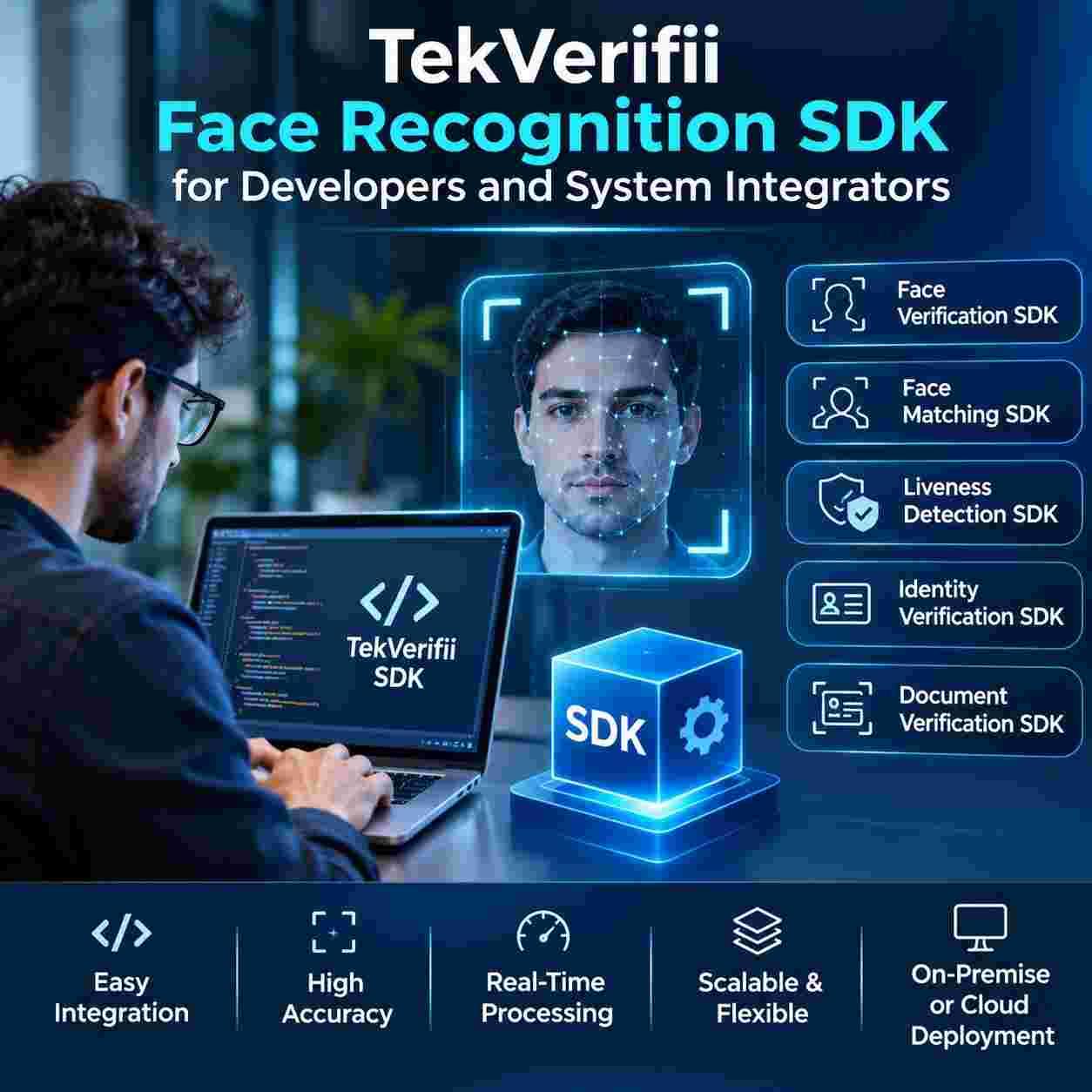
TekVerifii Face Recognition SDK for Developers and System Integrators
Why Builders Are Looking at Identity Toolkits
Customers now expect to open accounts, enter buildings, and approve payments in seconds. Organisations want the same speed without losing control of fraud, and regulators expect clear evidence of who did what. Building every piece of biometric technology in house would take years and a specialist research team.
A software development kit packages the hard parts, such as face analysis, fake detection, and document reading, into components that a normal engineering team can connect to its own product. Developers focus on user experience and business rules, while the toolkit handles the biometric science.
The Toolkit at a Glance
Confirming One Person
Face Verification SDK components compare a live image with a single stored record, such as an employee photo or the portrait on an identity document, and return a clear pass or fail with a confidence score. This one to one check suits logins, payment approval, and secure room entry.
Searching a Gallery
Face Matching SDK components compare a live image with a larger gallery and return the closest candidates. They support staff recognition at doors, repeat visitor detection, duplicate account checks, and watchlist alerts, and they can be tuned for the speed and accuracy that each project needs.
Stopping Fakes
Liveness Detection SDK components check that a real, present person is in front of the camera. They help block printed photos, screen replays, masks, and synthetic videos, which are the most common ways to attack a biometric system. Active prompts such as a head turn or passive checks that need no action from the user can both be used.
Complete Journeys
Identity Verification SDK components combine the steps into one flow: capture a selfie, check liveness, compare it with a trusted record, and return a decision to the host application. Integrators can adjust thresholds, messages, and fallback routes to suit each customer.
Reading Documents
Document Verification SDK components read identity cards, passports, and licences, extract the printed details, check security features and consistency, and pass the portrait to the face checks. This removes manual typing and cuts down on errors and forged papers.
Teams that want a broader product overview can explore the biometric identity toolkit for UAE developers and see how the components fit together.
How Integration Works
Choose Where It Runs
Projects can run the biometric work on a phone or terminal, on a server in the organisation's own data centre, or in a private cloud. On device processing keeps images local and works with poor connections, while server processing allows central galleries and easier updates. Many projects combine both.
Connect to Your System
Integrators connect the toolkit to existing systems through documented interfaces, such as door controllers, visitor and attendance platforms, customer databases, and workflow engines. Clear documentation, sample projects, and responsive technical support shorten this stage greatly.
Handle the Real World
Real users wear glasses, hats, and masks, stand in bright sun or dim corridors, and hold phones at odd angles. Good projects design capture screens that guide users, set sensible retry rules, and offer a human fallback so nobody is locked out unfairly.
Measure Performance Honestly
Teams should measure how often the system wrongly accepts a stranger and how often it wrongly rejects a genuine user, and they should report results for different age groups, genders, and skin tones. Testing with local users, cameras, and lighting gives far more useful numbers than a laboratory report alone.
Where System Integrators Add Value
Integrators bring the combination of hardware, networks, and process knowledge that makes technology work on site. Typical projects include access control and time attendance upgrades, visitor and contractor registration, bank and telecom onboarding, smart building platforms, and secure kiosks for public services.
The strongest projects begin with a clear business question, such as reducing queue time at a gate or cutting fraud in digital onboarding, and then select the smallest set of components that answers it. This keeps cost, risk, and training under control.
Because every deployment has its own constraints, a UAE biometric integration specialist can help choose components, camera positions, and fallback steps before development begins.
Security, Privacy, and Compliance
Face data is sensitive personal data. The Personal Data Protection Law, Federal Decree Law Number 45 of 2021, requires clear purpose, fair handling, and strong safeguards. The Telecommunications and Digital Government Regulatory Authority, the Dubai Electronic Security Center, and the Federal Authority for Identity, Citizenship, Customs and Port Security shape wider expectations, while free zones such as DIFC and ADGM apply their own data protection rules and the Central Bank of the UAE guides identity checks in financial services.
Developers should store templates rather than raw photos where possible, encrypt data in transit and at rest, limit who can view logs, set retention periods, and align operations with ISO 27001. Liveness quality can be judged against ISO/IEC 30107 principles for presentation attack detection, and independent test results from the National Institute of Standards and Technology help buyers compare algorithms. Links with Emirates ID and UAE PASS can add trust when the use case and the law allow.
Local Conditions Across the Emirates
A TekVerifii Face Recognition SDK UAE project must serve users who speak many languages and come from many countries, so interfaces should work in Arabic and English and models should perform fairly across diverse faces. Strong sun, glare, and dust at outdoor terminals call for careful camera choice and housing.
TekVerifii Face Recognition SDK Dubai projects often serve fintech firms, free zone companies, towers, hotels, and retail groups, where fast onboarding, polished design, and integration with many tenant systems are priorities.
TekVerifii Face Recognition SDK Abu Dhabi projects often serve government entities, energy companies, and the financial district of ADGM, where approval workflows, audit trails, and data residency rules are demanding and documentation carries great weight.
Proof Points That Build Trust
Ask suppliers for evidence of care. A trustworthy partner provides independent accuracy results, clear integration guides, a privacy impact checklist, sample applications, a version and update policy, and a support agreement with clear response times.
Experience across offices, banks, campuses, hotels, and public buildings also matters because it teaches practical lessons about lighting, queues, and user comfort. Request references from comparable projects and ask to speak with engineers who have completed similar integrations.
A proof of concept on one device or one workflow is the best test, and a pilot planning and integration review will show how the toolkit performs on your own cameras and users.
Getting Started
Define one clear use case, list the systems it must connect to, choose where processing will run, and agree success measures such as accuracy, speed, and user satisfaction. Build a small pilot, test it with real users in real conditions, publish simple rules about data use, and expand once results are stable.
When you are ready, explore developer ready identity checks for growing platforms and compare them with your current approach.
Conclusion
TekVerifii Face Recognition SDK gives UAE developers and system integrators a fast route to trusted identity features. A Face Verification SDK and a Face Matching SDK handle one to one checks and gallery searches, while a Liveness Detection SDK blocks fake attempts. An Identity Verification SDK and a Document Verification SDK complete the journey from selfie to approved record. A TekVerifii Face Recognition SDK UAE project, including TekVerifii Face Recognition SDK Dubai and TekVerifii Face Recognition SDK Abu Dhabi deployments, should begin with a small pilot. Contact Tektronix today to plan your integration.
FAQs
1. What is the difference between a gallery search and a Face Matching SDK check?
A gallery search is the task, and the toolkit component performs it by comparing a live image with many stored records and returning the closest candidates.
2. Why does every project need a Liveness Detection SDK component?
Without it, printed photos, screen replays, masks, and synthetic videos can fool a face check, so liveness is the main defence against fake attempts.
3. How does a Document Verification SDK help onboarding?
It reads the identity document, extracts the printed details, checks security features, and passes the portrait to the face checks.
4. When should I use an Identity Verification SDK instead of single components?
Use it when you want the whole journey, from selfie capture to decision, in one flow that is easy to adjust and test.
5. Is TekVerifii Face Recognition SDK Dubai suitable for fintech and free zone platforms?
Yes, it supports fast onboarding and integration with many tenant systems, while data handling follows UAE privacy law and free zone rules.

 English
 Arabic
 French
 Spanish
 Portuguese
 Deutsch
 Turkish
 Italiano
 Russian
 Romaian
 Portuguese (Brazil)
 Greek