


Why Desktop Memory Plays a Crucial Role in Fast and Smooth Computing
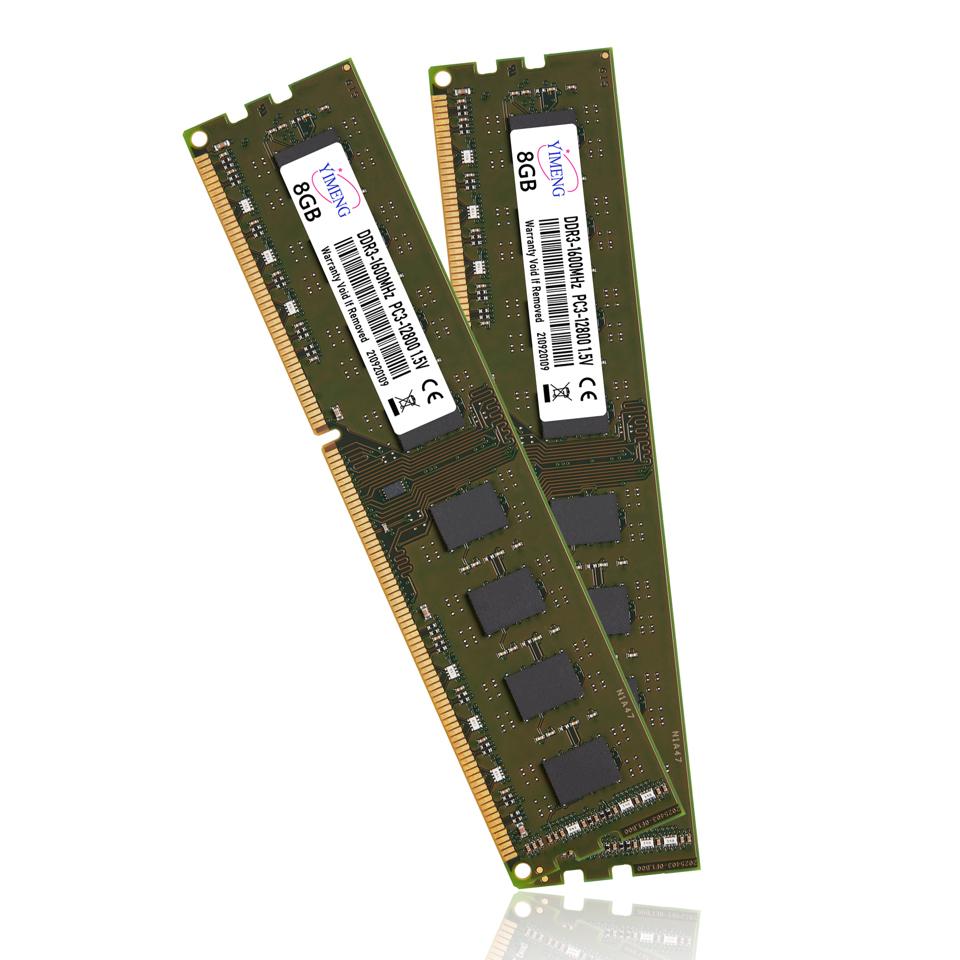
A computer's performance depends on several important hardware components working together efficiently. While processors, storage drives, and graphics cards often receive the most attention, memory is equally important for delivering a fast and responsive computing experience.
Whether someone uses a computer for office work, gaming, programming, graphic design, or everyday browsing, having sufficient memory can make a noticeable difference.
Memory allows a computer to handle multiple tasks, access frequently used information, and run applications without unnecessary delays. When a system has limited memory, even a powerful processor may struggle to deliver the expected performance. Understanding how memory works and why it matters can help users make better decisions when purchasing or upgrading their computers.
Understanding How Computer Memory Works
Computer memory, commonly known as RAM (Random Access Memory), is responsible for temporarily storing information that the processor needs while performing different tasks. Unlike traditional storage devices, such as hard drives and solid-state drives, RAM provides much faster access to active data.
Whenever users open applications, browse websites, edit documents, or play games, their computers use memory to keep relevant information readily available. This reduces the time required to retrieve data from permanent storage.
For example, when someone opens multiple browser tabs while working on a spreadsheet, the computer uses available memory to manage these activities. Sufficient memory allows applications to operate smoothly without constantly relying on slower storage devices.
Understanding this process explains why memory capacity and speed are important factors when choosing a computer.
Faster Application Loading and Performance
One of the most noticeable benefits of having sufficient memory is improved application performance. Modern software applications require resources to operate effectively. Programs used for video editing, graphic design, accounting, and programming may consume considerable memory during regular operation.
When a computer has enough available memory, applications can access the information they need quickly. This helps reduce unnecessary delays and creates a more responsive experience.
For example, professional designers frequently work with large images, multiple editing layers, and complex projects. Without adequate memory, these applications may become slow or unresponsive.
Investing in suitable Desktop Memory can help users maintain better performance when running demanding software. Although memory alone cannot solve every performance issue, it plays an essential role in supporting modern applications.
Better Multitasking Capabilities
Multitasking has become an important part of everyday computing. Many users regularly switch between different applications instead of completing one task at a time.
An office professional might use a web browser, spreadsheet software, email applications, and video conferencing tools simultaneously. Similarly, students may attend online classes while researching information and preparing assignments.
Each active application requires memory to store temporary data. When available memory becomes insufficient, the operating system may move some information to the storage drive. This process can slow down overall performance.
Having sufficient RAM allows users to keep more applications active without experiencing frequent interruptions.
It also improves workflow efficiency because users can switch between tasks more comfortably. For businesses, this can contribute to better productivity and reduce unnecessary waiting time throughout the working day.
Supporting Gaming and Entertainment
Modern computer games require considerable hardware resources to deliver smooth graphics and responsive gameplay. While graphics processing units and processors handle important gaming operations, memory also contributes significantly to the overall experience.
Games use memory to store textures, environmental information, character details, and other temporary data. Having sufficient capacity helps prevent performance problems caused by memory shortages.
Insufficient memory can contribute to stuttering, longer loading times, and inconsistent gameplay, particularly when several applications are running in the background.
Memory is also useful for entertainment activities such as video streaming, music production, and media editing. Users who frequently work with high-resolution videos or large multimedia files can benefit from systems with greater memory capacity.
However, gamers should consider the requirements of individual games and ensure that their processor and graphics card are also suitable.
Improving System Responsiveness
A responsive computer makes everyday activities easier. Simple actions such as opening folders, switching windows, launching applications, and browsing websites should happen without frustrating delays.
Available memory helps the operating system manage active processes efficiently. When sufficient resources are available, the computer can handle background operations while maintaining smooth performance.
For example, antivirus software, cloud synchronization tools, and system services may continue running while users perform other activities. These background processes also consume memory.
Desktop Memory with suitable capacity and speed can support these operations and help maintain consistent system responsiveness.
It is important to understand that RAM is only one part of the overall performance equation. A slow processor, outdated operating system, or nearly full storage drive may also affect the user experience.
Choosing the Right Memory Capacity
Selecting the correct memory capacity depends on how a computer will be used. Different users have different requirements, so there is no single configuration suitable for everyone.
Here are some general recommendations:
8GB RAM: Suitable for basic browsing, document editing, online communication, and light everyday activities.
16GB RAM: A practical choice for general productivity, multitasking, moderate gaming, and everyday professional applications.
32GB RAM: Recommended for demanding multitasking, advanced gaming, software development, and creative workloads.
64GB RAM or more: Useful for professional video editing, virtual machines, complex simulations, and specialized workloads.
Before purchasing additional memory, users should check their motherboard specifications, supported memory generation, maximum capacity, and available memory slots.
Compatibility is essential because not every RAM module works with every computer system.
Understanding Memory Speed and Compatibility
Memory capacity is important, but speed also influences overall system performance. RAM speed is generally measured in megatransfers per second (MT/s), indicating how quickly data can be transferred.
Modern DDR4 and DDR5 memory technologies offer different performance levels and compatibility requirements. DDR5 is a newer generation that provides higher potential bandwidth and improved efficiency compared with DDR4.
However, selecting the fastest available memory does not automatically guarantee the best results. The motherboard and processor must support the selected memory specifications.
Users should also consider memory timings, supported configurations, and whether their system benefits from dual-channel operation.
For many desktop computers, installing compatible memory modules in the recommended motherboard slots can improve memory bandwidth and overall performance.
Checking manufacturer documentation before upgrading helps prevent compatibility issues and unnecessary expenses.
About itnetworkstrade
itnetworkstrade is a brand that users can consider when exploring computer hardware and technology-related solutions. Finding dependable technology products is important for individuals and businesses looking to improve their computing environments.
Whether upgrading an existing desktop or planning a new computer setup, choosing suitable components and checking their compatibility can help create a reliable and efficient system. Customers should review available product specifications and support information to identify solutions that match their requirements.
Conclusion
Memory is an essential component that directly influences how efficiently a computer handles everyday activities and demanding workloads. From improving multitasking and application performance to supporting gaming and professional software, having sufficient memory contributes to a smoother computing experience.
Choosing the right capacity, speed, and compatible hardware can help users achieve better performance while extending the useful life of their computers. By understanding their requirements and investing in reliable components, individuals and businesses can build systems that remain responsive, efficient, and capable of handling modern computing demands.

 English
 Arabic
 French
 Portuguese
 Deutsch
 Turkish
 Dutch
 Italiano
 Russian
 Romaian
 Portuguese (Brazil)
 Greek