


MBOX to MSG Conversion: A Practical Walkthrough for Outlook Users
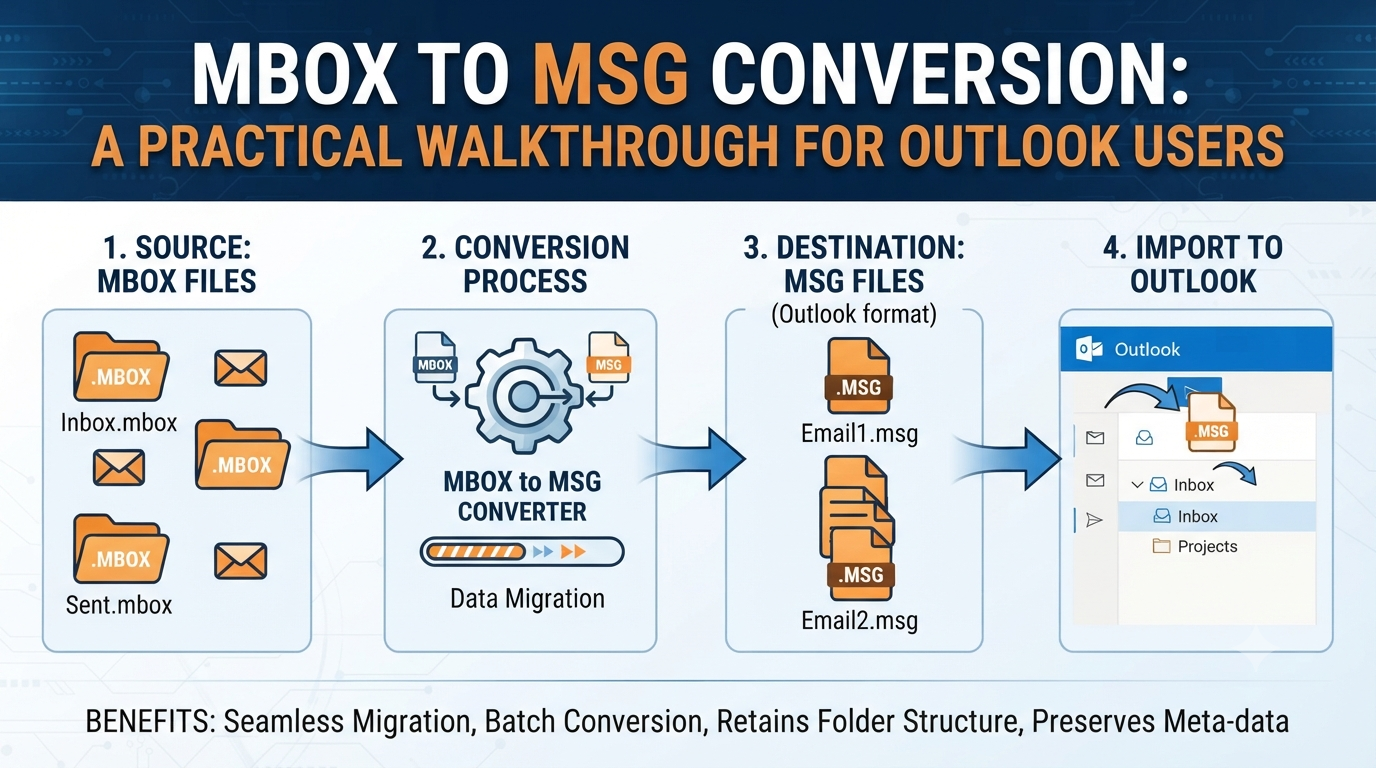
You have switched to Outlook, but your old mail is still sitting in an MBOX archive from Thunderbird, Apple Mail, or another client. Outlook will not open that file. It wants MSG, where each email is saved as its own file with the body, attachments, and header details inside. This guide covers how the two formats differ, what to watch out for, and three ways to convert MBOX to MSG.
MBOX vs. MSG: The Core Difference
An MBOX file is a single text-based container holding every message in a folder, one after another. It is compact, but one damaged archive can affect everything inside it.
An MSG file is Microsoft's single-message format. You can drag it, rename it, attach it, back it up, or search for it in File Explorer without opening a mail client. That is why people prefer it for archiving and for legal or audit requests.
Common Reasons for Converting
- Opening old mail in Outlook after moving away from Thunderbird or Apple Mail.
- Handling oversized archives. Multi-gigabyte MBOX files are slow to load and slow to search.
- Record keeping. Individual files are easier to sort by date, sender, or project.
- Sharing a single message without sending a whole mailbox.
Quality Checklist Before You Start
A conversion that looks successful can still lose data. Whichever route you choose, confirm that it:
- Keeps attachments attached to the right message
- Retains HTML formatting and inline images
- Preserves From, To, CC, BCC, subject, and timestamps
- Maintains your folder hierarchy
- Lets you process more than one MBOX file at a time
Route One: Thunderbird, EML, and Outlook
This free route works only on Windows with both Thunderbird and Outlook installed. Since MBOX cannot become MSG directly, you pass through EML.
Load the archive
- Install the ImportExportTools NG add-on in Thunderbird and restart the app.
- Right-click Local Folders and select the add-on's Import mbox file option.
- Choose to import MBOX files directly and select your file. A new folder appears with your messages.
Create EML files
- Right-click that folder and open the add-on menu.
- Select Export all messages in the folder, then EML format.
- Choose where to store the files.
Finish in Outlook
- Make an empty folder in Outlook and drag the EML files into it.
- Select the imported messages and drop them into a Windows folder. Each one is written out as an .msg file.
For a single email, open it and use File > Save As > Outlook Message Format.
Route Two: Gmail as a Bridge
Here you connect Thunderbird and Outlook to the same Gmail account over IMAP. Copy the MBOX folder into Gmail from Thunderbird, wait for Outlook to sync it down, then save the messages as MSG files.
The process is straightforward but has trade-offs. Your emails temporarily live on an external server, which can be a problem for sensitive or corporate data. Gmail also enforces size and daily transfer limits, so large attachments may fail partway through.
Where Manual Methods Fall Short
Both free routes are fine for a few dozen emails. Larger jobs expose several weaknesses:
- Every message is converted twice, which multiplies the chances of error.
- Three applications must cooperate, and any one can stall.
- Thousands of emails can take hours to move and sync.
- Nested folders tend to flatten.
- BCC and date fields sometimes change in transit.
- Attachments with unusual encoding can quietly disappear.
- There is no report showing what succeeded or failed.
- An interrupted session leaves no clear record of where it stopped.
Route Three: Dedicated MBOX Converter Software
When volume or accuracy matters, specialist software is the more dependable option. The Cigati MBOX Converter runs on Windows and Mac, reads MBOX files directly, and writes MSG output without any detour through EML or Gmail. Beyond MSG, it can export to PST, EML, PDF, and CSV, and it can send mail straight to Office 365, Google Workspace, Gmail, and other IMAP accounts. It places no limit on file size.
How to use it:
- Install the software and launch it with administrator rights.
- Add one or more MBOX files from your computer.
- Review the message preview and continue.
- Pick MSG as the export type and set any filters.
- Choose an output folder and start the export.
Since multiple archives can be processed together with folder structure intact, there is far less manual tidying afterward.
Conclusion
MBOX and MSG have no direct bridge, so manual methods rely on a middle step. That is acceptable for small, occasional jobs. For anything larger, a purpose-built converter reduces risk and saves time. Whatever approach you take, open a handful of converted emails and check attachments, dates, and folders before deleting your original MBOX files.
Frequently Asked Questions
Is Outlook required for the conversion?
Manual routes need it because Outlook performs the final save. A dedicated tool can create MSG files without Outlook, but you will need Outlook to open them.
Can MBOX be converted to MSG for free in one step?
No. Free options always involve EML files or a Gmail account in between.
Will my attachments survive?
Usually yes, provided the method handles encoding correctly. Test a few messages first.
Is Gmail a safe intermediary?
It works, but local conversion is safer for confidential email.
How much time should I expect?
Hundreds of emails take minutes manually. Thousands can take hours, whereas bulk software finishes much sooner.

 English
 Arabic
 French
 Portuguese
 Deutsch
 Turkish
 Dutch
 Italiano
 Russian
 Romaian
 Portuguese (Brazil)
 Greek
