


Buying Your First Card Printer? Avoid These Common Mistakes Before Investing
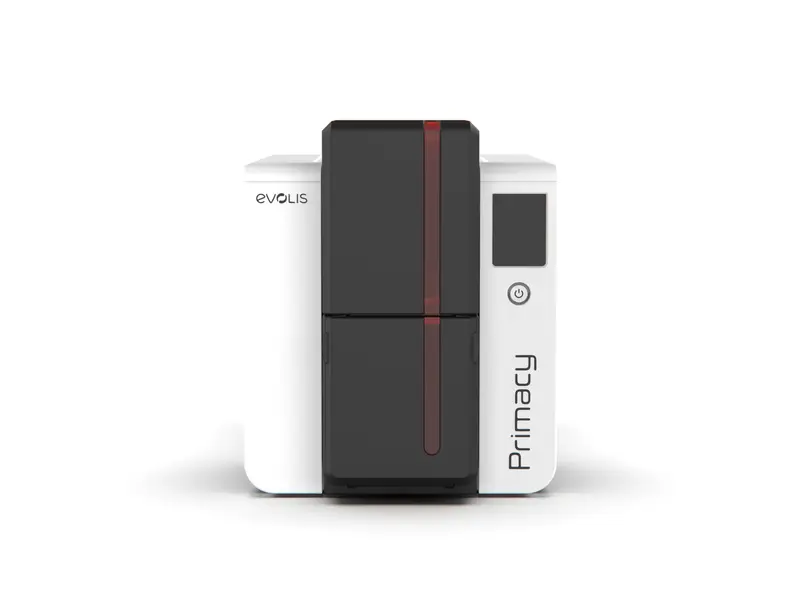
Your organisation has decided to start printing identification cards internally. You've compared a few machines, checked their prices and found one that appears suitable.
But before placing the order, there are several details worth investigating.
First-time buyers sometimes overlook the cost of ribbons, purchase incompatible plastic cards or choose equipment that cannot support their intended designs.
These mistakes can create inconvenience and unnecessary expenses after the printer arrives.
Businesses researching cardprinters should look beyond the advertised features and consider how the equipment will operate in practice.
Avoiding the following mistakes can help make the initial investment more useful.
Mistake 1: Buying Without Defining Your Printing Needs
One of the most common purchasing mistakes is selecting a printer before deciding what it needs to produce.
A simple employee badge and an electronically encoded access credential have very different requirements.
Identify the Intended Card Applications
Before comparing equipment, determine whether you need staff identification, membership cards, visitor passes or another type of plastic card.
Also consider:
-
Whether cards need photographs.
-
Number of cards required each month.
-
Colour or monochrome printing.
-
Single-sided or double-sided designs.
-
Electronic encoding requirements.
-
Expected card lifespan.
A clear specification helps prevent unsuitable equipment purchases.
Mistake 2: Choosing the Cheapest Printer Automatically
A low equipment price can be appealing, particularly to a small business purchasing its first machine.
However, the printer's initial price does not reflect every operating expense.
Understand Consumable Costs
Most plastic card printers require compatible ribbons, blank cards and cleaning supplies.
Some models may also require additional software or accessories.
Before selecting a printer for plastic cards, calculate the approximate cost of producing each finished card.
A lower-priced printer may not provide the best value if consumables are expensive or the equipment does not meet your needs.
Mistake 3: Ignoring Card and Ribbon Compatibility
Not every plastic card works with every printer.
Card thickness, material, surface finish and electronic components may affect compatibility.
Check the Manufacturer's Specifications
Use cards and ribbons recommended or approved for the chosen model.
Incorrect materials may produce poor print quality or contribute to equipment problems.
Why Ribbon Types Matter
Different ribbons support different printing requirements.
Full-colour printing, monochrome printing and certain specialised applications may require different consumables.
Check the exact printer model before ordering replacement ribbons.
This is particularly important when purchasing supplies in larger quantities.
Mistake 4: Overlooking Card Design Software
The printer cannot create an effective card layout without suitable software or a compatible printing workflow.
Some businesses discover after purchasing that their preferred design application does not support the selected equipment.
Evaluate the Complete Software Package
Before ordering, find out whether the printer includes card design software.
Check for functions such as photograph placement, text editing, reusable templates and barcode generation where required.
Also confirm compatibility with your organisation's operating system.
For businesses buying an id card printer, software usability can be just as important as hardware performance.
Mistake 5: Misunderstanding Security Features
A card containing an employee photograph is not necessarily an electronic access credential.
Some buyers assume that any plastic card printer can create cards for door access systems.
Understand Printing Versus Encoding
Visual printing places information on the surface of a card.
Electronic encoding writes compatible data to a magnetic stripe, chip or contactless credential.
These are separate functions.
Verify Access System Compatibility
Before purchasing equipment for electronic credentials, confirm:
-
Card technology.
-
Reader compatibility.
-
Required encoding method.
-
Available printer encoder options.
-
Integration with existing systems.
This may require consultation with your access control provider.
A card that looks correct may still be unusable with the installed readers.
Mistake 6: Underestimating Printing Volume
A machine suitable for occasional use may be inconvenient when hundreds of cards need printing within a short period.
Plan Around Peak Demand
Consider an educational institution preparing identification cards for a new intake.
Its monthly average may appear modest, but enrolment periods can create a much higher workload.
Before comparing cardprinters, estimate both routine and peak printing volumes.
Check printing speed, card input capacity and the expected frequency of consumable replacement.
The appropriate machine should handle normal operations without unnecessary interruptions.
Mistake 7: Forgetting Maintenance and Cleaning
Card printers contain components that need appropriate care.
Dust, debris and neglected cleaning procedures can contribute to printing defects and card-feeding problems.
Follow the Recommended Maintenance Schedule
Manufacturers generally provide cleaning instructions for their equipment.
Use suitable cleaning materials and follow the recommended intervals.
Avoid improvised cleaning methods that may damage internal components.
A printer for plastic cards should be treated as operational equipment requiring routine care, rather than a device that can be left unattended indefinitely.
Mistake 8: Failing to Consider Future Card Requirements
A business may initially need only straightforward identification cards.
Later, it might introduce a different card design or require additional information.
Balance Flexibility With Cost
When buying an id card printer, consider whether foreseeable changes could affect the chosen model's suitability.
For example, future requirements might include double-sided printing or different card formats.
However, there is little value in paying for complex features without a realistic need.
Select equipment with enough flexibility for likely requirements while keeping the investment proportionate.
Mistake 9: Not Checking Supplier Support and Availability
A printer is most useful when replacement consumables and operating information are accessible.
Before purchasing, check the supplier's available product documentation and support arrangements.
Questions Worth Asking
Find out which ribbons and cards are compatible, what warranty terms apply and how maintenance enquiries are handled.
Also confirm whether suitable accessories can be purchased separately.
For a first-time buyer, understanding these details can help prevent avoidable difficulties during setup and operation.
Why Choose InteractCard New Zealand?
InteractCard New Zealand supplies plastic card printers, printing ribbons, blank cards and related identification accessories.
Its product range includes Evolis equipment for different printing requirements, from compact desktop systems to more specialised models.
First-time buyers can compare available features, software and consumables before selecting equipment.
For customers exploring cardprinters, assessing these components together can help create a more practical purchasing plan.
About Us – InteractCard New Zealand
InteractCard New Zealand provides plastic card-printing solutions for organisations requiring employee cards, student identification, membership cards and other printed credentials.
Its product selection includes ID printers, badge printing equipment, compatible consumables and card-related accessories.
Businesses considering a printer for plastic cards can explore options according to printing volume, card design and operational requirements.
Make Your First Card Printer Purchase Count
The most expensive mistake is not necessarily buying the wrong brand. It is purchasing equipment without understanding what your organisation actually needs.
Card compatibility, software, consumable costs, printing volume and maintenance all influence the usefulness of the finished system.
Before investing, establish your requirements and compare complete printing solutions rather than individual machines.
A carefully selected printer can support consistent identification card production while helping your business avoid unnecessary costs and operational problems.

 English
 French
 Spanish
 Portuguese
 Deutsch
 Turkish
 Dutch
 Italiano
 Russian
 Romaian
 Portuguese (Brazil)
 Greek
