


How Can a Desktop Barcode Printer Improve Your Business Labelling and Inventory Management?
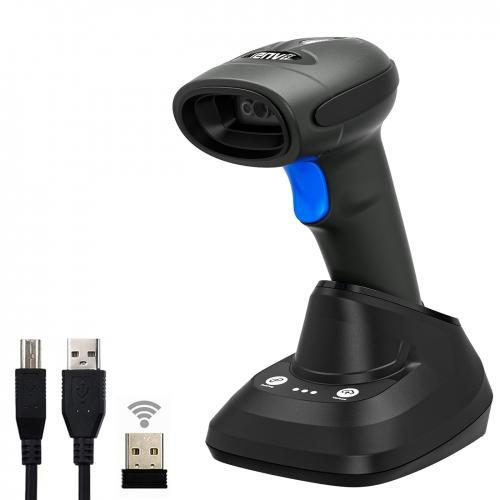
Businesses need accurate and efficient labelling systems to manage products, inventory and daily operations. A Desktop Barcode Printer is a compact printing device designed to produce barcode labels, product tags, shipping labels and identification stickers. It is widely used in retail stores, warehouses, supermarkets, pharmacies, offices and manufacturing businesses.
Unlike large industrial barcode printers, desktop models are smaller, easy to operate and suitable for businesses with moderate printing requirements. They help employees print clear and readable labels whenever needed.
Whether you run a small retail shop or manage an expanding warehouse, choosing the right desktop barcode printer can improve productivity, reduce manual work and support better inventory management.
What Is a Desktop Barcode Printer?
A Desktop Barcode Printer is a compact machine that prints barcode labels using thermal printing technology. It connects to a computer or compatible device and prints information such as product codes, prices, serial numbers, QR codes and shipping details.
Most desktop barcode printers use either direct thermal or thermal transfer printing technology.
Direct thermal printers create images using heat-sensitive labels, while thermal transfer printers use a ribbon to transfer ink onto the label material.
These printers are designed for businesses that require reliable barcode printing without investing in large industrial equipment.
How Does a Desktop Barcode Printer Work?
A desktop barcode printer receives label information from connected software or a computer. The printer then converts the information into a printed barcode or label.
The basic printing process includes:
-
Create Label Design: Use compatible software to design a label containing barcodes, product names, prices or other information.
-
Connect the Printer: Connect the printer through USB, Ethernet, Bluetooth or another supported connection.
-
Load Label Material: Insert the correct label roll and ribbon if required.
-
Configure Settings: Select label dimensions, print speed, darkness and printing resolution.
-
Print Labels: Send the label design to the printer and produce the required quantity.
The printed barcode can then be scanned using a compatible barcode scanner.
What Are the Main Features of a Desktop Barcode Printer?
A quality desktop barcode printer offers several features that make business labelling easier.
1. Compact Design
Desktop barcode printers are designed to fit comfortably on office desks, retail counters and warehouse workstations. Their compact size makes them suitable for businesses with limited working space.
2. High-Quality Printing
Many models support resolutions such as 203 DPI and 300 DPI. Higher resolution can be useful for smaller labels, detailed graphics and compact barcodes.
3. Thermal Printing Technology
Thermal printing reduces the need for traditional ink cartridges. Direct thermal models use heat-sensitive labels, while thermal transfer models use ribbons for printing.
4. Multiple Connectivity Options
Depending on the model, connectivity options may include USB, Ethernet, Bluetooth and serial interfaces. These connections allow businesses to integrate printers into their existing workflows.
5. Different Label Sizes
Desktop barcode printers can support various label widths and lengths. This allows businesses to print product labels, inventory tags, shipping labels and identification stickers.
6. Easy Operation
Most desktop models feature straightforward label-loading systems and simple controls. Employees can learn basic printing operations without complicated training.
What Are the Benefits of Using a Desktop Barcode Printer?
Desktop barcode printers offer several advantages for businesses.
Improved Accuracy: Printed barcodes help reduce mistakes associated with handwritten product identification.
Faster Label Printing: Employees can generate labels quickly instead of preparing them manually.
Better Inventory Management: Businesses can label products and stock items with unique identification codes.
Professional Appearance: Clear labels improve product presentation and make information easier to read.
Reduced Operating Costs: Thermal printing can reduce ongoing printing expenses compared with some traditional printing methods.
Space Saving: Compact machines fit easily into small shops, offices and workstations.
Flexible Applications: Businesses can print different types of labels according to their operational requirements.
Which Businesses Use Desktop Barcode Printers?
Desktop barcode printers are useful across many industries.
Retail Stores and Supermarkets
Retailers use desktop printers to produce product price labels, shelf labels, inventory stickers and barcode tags. Employees can print replacement labels whenever required.
Warehouses and Distribution Centres
Warehouses use barcode labels to identify stock, storage locations, packages and outgoing shipments. Desktop printers can support receiving, picking and packing operations.
E-Commerce Businesses
Online sellers use desktop barcode printers to print product identification labels, order labels and shipping information. This helps organise packaging and dispatch activities.
Pharmacies and Healthcare Facilities
Pharmacies may use barcode labels to identify medicines and manage inventory. Healthcare facilities can also use compatible labelling systems for supplies and equipment.
Manufacturing Companies
Manufacturers use barcode labels to identify components, finished products, serial numbers and production batches.
Offices and Educational Institutions
Offices and educational organisations can use barcode printers for asset identification, file tracking, equipment management and library labelling.
What Is the Difference Between Direct Thermal and Thermal Transfer Printing?
Understanding printing technology can help you choose the right printer.
Direct Thermal Printing
Direct thermal printers use heat-sensitive label material. The printhead creates text and barcode images directly on the label.
Advantages include:
-
No ribbon required.
-
Simple operation.
-
Lower consumable complexity.
-
Suitable for short-term labels.
However, direct thermal labels can fade when exposed to heat, sunlight or friction.
Thermal Transfer Printing
Thermal transfer printers use a heated ribbon to transfer ink onto label material.
Advantages include:
-
Durable printed information.
-
Support for different label materials.
-
Better suitability for longer-term labelling.
-
Resistance to fading under suitable conditions.
The choice depends on label lifespan, storage conditions and business requirements.
How Do You Choose the Best Desktop Barcode Printer?
Before purchasing a desktop barcode printer, consider the following factors.
1. Printing Volume: Choose a model that can handle your daily label requirements without excessive wear.
2. Print Resolution: Consider 203 DPI for many standard labels and 300 DPI when smaller or more detailed printing is required.
3. Printing Width: Make sure the printer supports the label dimensions used by your business.
4. Printing Technology: Select direct thermal or thermal transfer according to your label durability requirements.
5. Connectivity: Check compatibility with your computer, POS system and other devices.
6. Software Compatibility: Confirm that the printer supports your existing barcode and inventory software.
7. Printing Speed: Compare the printer's speed according to your expected workload.
8. Warranty and Support: Check warranty coverage, replacement parts and technical assistance before purchasing.
How Can a Desktop Barcode Printer Improve Inventory Management?
Inventory management becomes easier when products have clear and unique barcode labels.
Employees can print labels for new stock and scan them during receiving, storage, movement and dispatch. When integrated with suitable inventory software, scanned information can update stock records automatically.
Businesses can also use barcode labels to identify shelves, storage areas and individual assets.
This improves product tracking and helps managers maintain organised inventory records.
How Should You Maintain a Desktop Barcode Printer?
Regular maintenance helps keep a desktop barcode printer working efficiently.
-
Clean the printhead according to the manufacturer's instructions.
-
Remove dust and adhesive residue from internal components.
-
Use compatible labels and ribbons.
-
Check label alignment before printing.
-
Avoid using damaged or poor-quality label rolls.
-
Keep the printer in a clean and dry environment.
-
Update printer drivers and software when necessary.
Proper maintenance can help improve print quality and reduce unnecessary downtime.
A desktop barcode printer is a useful investment for businesses that need reliable product labelling and inventory identification. Its compact design, thermal printing technology and flexible connectivity make it suitable for retail stores, warehouses, pharmacies, manufacturing companies and e-commerce operations.
Before purchasing, compare printing resolution, speed, label compatibility, connectivity and daily printing capacity. Selecting the right printer can help reduce manual work, improve labelling accuracy and support smoother business operations.
Frequently Asked Questions
1. What is a desktop barcode printer?
A desktop barcode printer is a compact printing device used to produce barcode labels, product stickers, shipping labels and identification tags.
2. Which printing technology does a desktop barcode printer use?
Most desktop barcode printers use direct thermal or thermal transfer technology.
3. What is the difference between 203 DPI and 300 DPI?
203 DPI is suitable for many standard barcode labels, while 300 DPI provides greater detail for smaller labels and more complex designs.
4. Can a desktop barcode printer print QR codes?
Yes. Many desktop barcode printers support QR code printing when compatible software and suitable label settings are used.
5. Is a desktop barcode printer suitable for small businesses?
Yes. Its compact size and convenient operation make it suitable for small retail stores, offices and growing businesses.

 English
 Arabic
 Spanish
 Portuguese
 Deutsch
 Turkish
 Dutch
 Italiano
 Russian
 Romaian
 Portuguese (Brazil)
 Greek
